Physical stock stops matching the books because something happened on the shelf that was never recorded, or was recorded wrongly: an item issued over the phone with no document, a receipt booked from the invoice instead of a count, one item confused with a similar one, a shipment that left with nobody confirming it arrived, damage that was never written off, theft, or a mistake in the count itself. The difference between a warehouse that lives with discrepancies and one that shrinks them is not how often it counts. It is whether every discrepancy is traced back to the last recorded movement on that item, and to the step in the process that let it happen. This article covers the seven most common causes, the mark each one leaves in your count results, and a practical way to find it.
Key takeaways
- Discrepancies are normal, not exceptional: in one study of about 370,000 inventory records across 37 stores of a single retailer, roughly 65% were inaccurate.
- Most causes are procedural, not criminal: an unrecorded movement, a receipt nobody counted, a transfer nobody confirmed.
- Classify each discrepancy before you adjust it: missing, unexpected, or in another warehouse. Each type points to different causes.
- Do not correct the balance before you know the cause; adjusting without investigating hides the problem and guarantees it comes back.
How big is the inventory discrepancy problem?
An inventory discrepancy is the gap between what your system or ledger says and what is physically on the shelf. It is common even in large companies with mature systems. In a study published in Management Science by DeHoratius and Raman (2008), researchers examined nearly 370,000 inventory records across 37 stores of a US retailer and found that about 65% did not match the actual quantity. The figure comes from one retailer, but it makes the point: having a system is not enough if movements are not recorded accurately.
Discrepancies are not only theft, either. The National Retail Federation's 2023 National Retail Security Survey attributed about 27% of shrink to process and control failures and errors, alongside external and internal theft. More than a quarter of the loss, in other words, is fixed by changing how work is done, not by adding cameras.
Small gaps also do more damage than they appear to. Research by Kang and Gershwin at MIT showed that even a small rate of stock loss that the information system does not catch can disrupt replenishment and cause severe stockouts, and that the revenue lost to those stockouts can far exceed the value of the lost stock. We work through that cost in the hidden cost of lost inventory.
7 common reasons physical stock does not match the books
1. Movements happen on the shelf and are never recorded
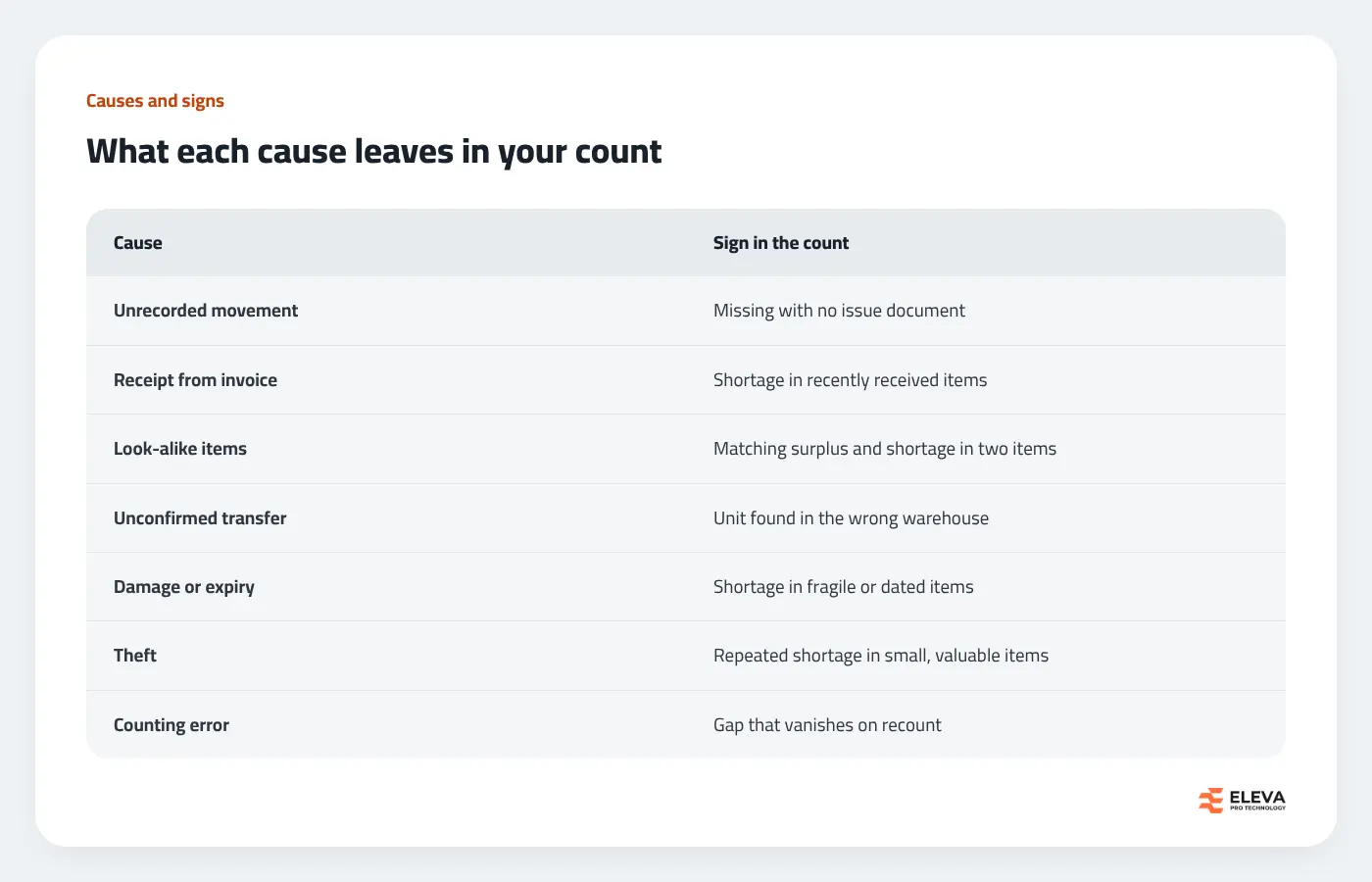
This is the most frequent cause in warehouses run on paper or a shared Excel file. A site engineer calls for an urgent part, the storekeeper hands it over and plans to "log it later", gets busy, and the movement is lost. The reverse happens too: an item goes back on the shelf without a return document. In the count you see missing units with no issue document, or unexpected units on the shelf that the system thinks were issued.
2. Receipts booked from the invoice, not from a count
When a supplier delivery arrives, the quantities are entered as printed on the invoice or purchase order without counting the units. If the shipment was two short, the warehouse starts with a gap nobody inside it caused. The sign: discrepancies concentrated in recently received items, often from one particular supplier.
3. Similar items confused with each other
Two devices from the same brand that differ only in capacity or model, or spare parts with near-identical part numbers. One is issued and the other is recorded, so one item shows a shortage and a similar item shows a surplus of about the same size. The sign: a matching plus and minus on two look-alike items in the same count. It gets worse when product names are not standardised and the same item is entered two different ways.
4. Transfers between warehouses with no proof of arrival
The shipment leaves the main warehouse and is deducted from its balance, but the receiving site never confirms what arrived, or confirms "received" without counting. If a unit is damaged or lost on the road, nobody knows at which stage. The sign: units found in a different warehouse from the one on record, or shortages at the receiving site after a recent transfer. We cover how to run this stage in transfers between warehouses.
5. Damage, expiry and returns that never hit the system
A unit falls and breaks and is put aside, a product expires and is thrown away, a customer return goes straight back on the shelf without inspection. Each changes what is physically there without passing through a write-off or return document. The sign: shortages in fragile or dated items, or unexplained surpluses after busy return periods.
6. Theft and weak segregation of duties
Theft is real, but it thrives where one person can receive, issue and adjust balances, or where everyone knows the count only happens once a year. The sign: repeated shortages in small, high-value items, concentrated in one warehouse or shift. The fix starts with splitting permissions, which is the subject of warehouse roles and permissions.
7. Errors in the count itself
Sometimes the books are right and the count is wrong: a unit counted twice, a shelf skipped, or a count run while issues and receipts carried on so movements got mixed in. The sign: discrepancies that vanish on a recount, or that cluster in one aisle or shelf. That is why you should not accept a single count result before reviewing the large discrepancies.
How do you find the cause from your count results?
First, stop treating discrepancies as a single number ("we are 43 units short"). Split each one by type, because each type points to a different set of causes:
| Discrepancy type | What it means | Likely causes |
|---|---|---|
| Missing | On record in this warehouse but not found | Unrecorded issue, discarded damage, theft, short receipt, counting error |
| Unexpected | On the shelf but not on record here | Return with no document, issue recorded but not carried out, mixed-up items |
| Wrong warehouse | On record in one warehouse, found in another | Unconfirmed transfer, informal moves between sites |
| Quantity only | The item is there, but the count differs | Receipt from the invoice, double counting, look-alike items |
Then work through this sequence for every discrepancy that matters:
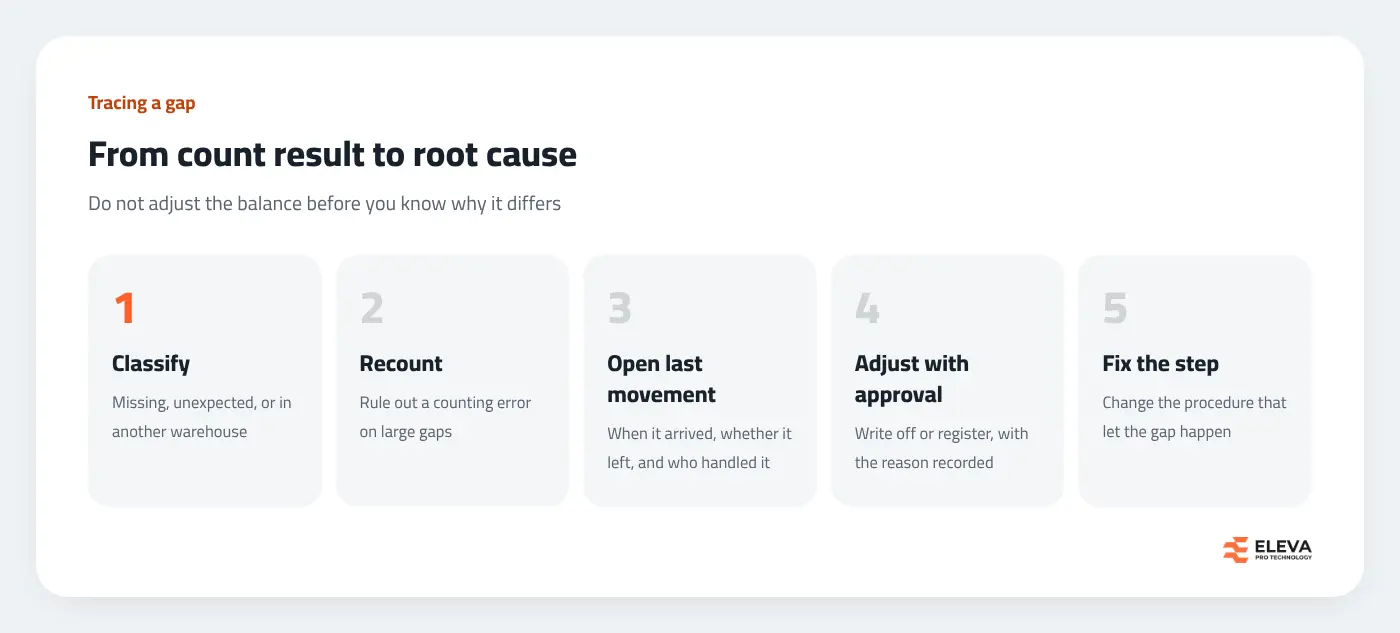
- Recount large or high-value discrepancies, ideally with a different person, to rule out a counting error.
- Open the last recorded movement on the item: when was it received, did it leave on a transfer, is there a pending issue request?
- Ask who handled it last. Your movement history should give you a name, not just "the store".
- Pick the cause from the list above and write it next to the discrepancy, even if it is "unknown".
- Adjust the balance with approval: a write-off for a confirmed loss, or a registration for an unexpected unit, with the reason stated.
- Fix the step that allowed it: a mandatory issue document, a mandatory count at receipt, or arrival confirmation for transfers.
After three or four counts you will notice that most discrepancies come from two or three causes. That is where to put your effort. Counting in small, frequent batches makes this tracing far easier than one annual count, because there are fewer and fresher movements to review; see the cycle counting guide.
Common mistakes when handling discrepancies
- Adjusting the balance to match the count straight away: the books look clean, the cause stays, and the gap returns at the next count.
- Treating every shortage as theft: it strains the team and distracts from process errors, which account for a large share of shrink.
- Counting while stock keeps moving without freezing the expected list: it creates phantom discrepancies that waste investigation time.
- Not keeping each count's results: you lose the chance to compare counts and spot the items whose discrepancies keep recurring.
How Eleva's system handles this
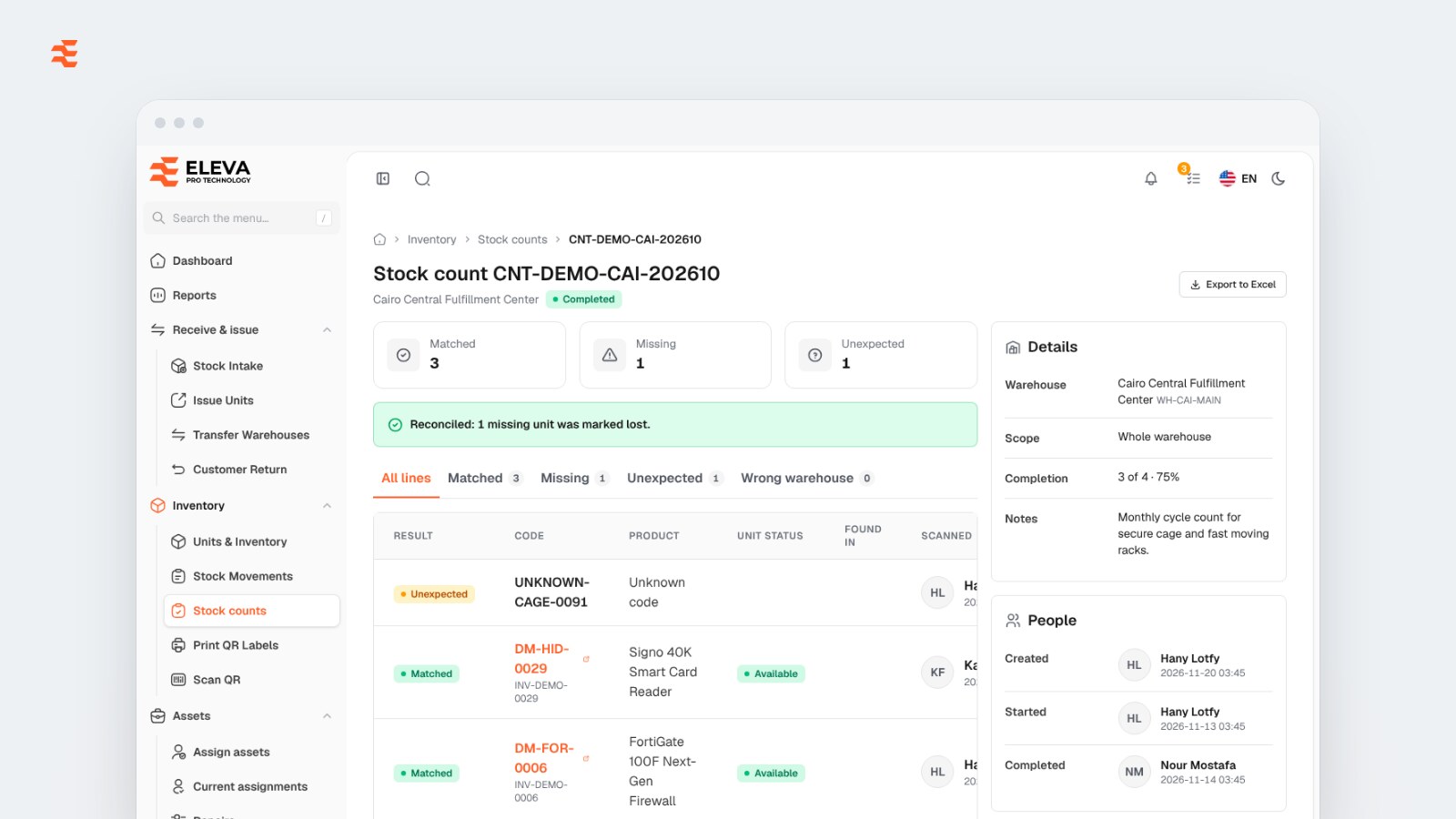
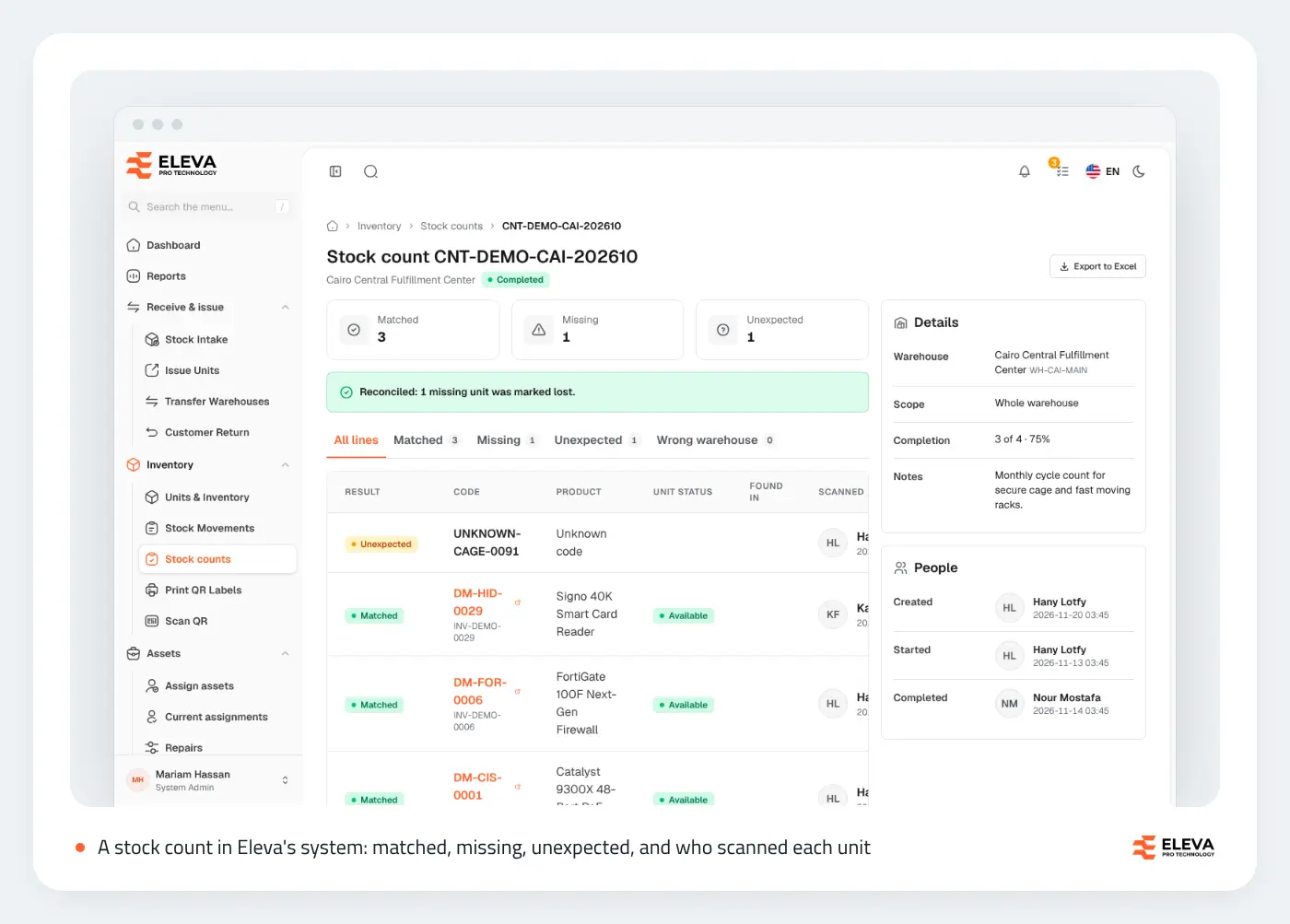
In Eleva's Warehouse Tracking & Management System, every unit has a tracking code and a QR label, and every receipt, issue or transfer is a movement with a status, a person and a time. During a stock count, units are scanned with a camera or barcode scanner, and the system classifies each one as matched, missing, unexpected or in the wrong warehouse, records who scanned it and when, and exports the result to Excel. The list of expected units is frozen when the count starts, so ongoing movements do not blur the result.
To trace the cause, the unit details page shows the unit's full movement history and who performed each movement, and the activity log records every change with its old and new values and cannot be edited. For transfers, the receiver enters a six-digit delivery code and marks each unit as received, damaged or missing, so the transfer closes as "completed with discrepancy" instead of the gap disappearing between two sites.
FAQ
What is the difference between an inventory discrepancy and shrinkage?
A discrepancy is any difference between the records and reality, up or down. Shrinkage is the part that is actually gone through theft, damage or error. You can have a large discrepancy and little shrinkage if most of the gap is stock sitting in the wrong place.
Should I adjust the balance after every count?
Yes, but only after reviewing the discrepancies and identifying their cause, and with approval from someone other than the person who ran the count. Quick adjustments without an investigation hide the problem.
How often should I count my warehouse?
It depends on item value and how fast items move. High-value or fast-moving items deserve more frequent counts than the rest; the cycle counting guide explains how to split them.
Conclusion
Inventory discrepancies have specific, repeating causes, and most of them sit in how movements are recorded rather than in people's intentions. Classify each discrepancy, trace it to the last movement, and fix the step that allowed it before you change the balance. For the wider criteria when choosing a system that supports this, read our guide to choosing a warehouse management system. If you want to see your own warehouse's count results inside the system, contact us to book a demo.
Try the Warehouse Tracking & Management System yourself: the live demo with sample data, and the step-by-step user manual. The system is sold as a one-time licence or a fixed annual fee plus annual maintenance, installed on your company's server with no fee per warehouse or user. Request a demo from the product page.