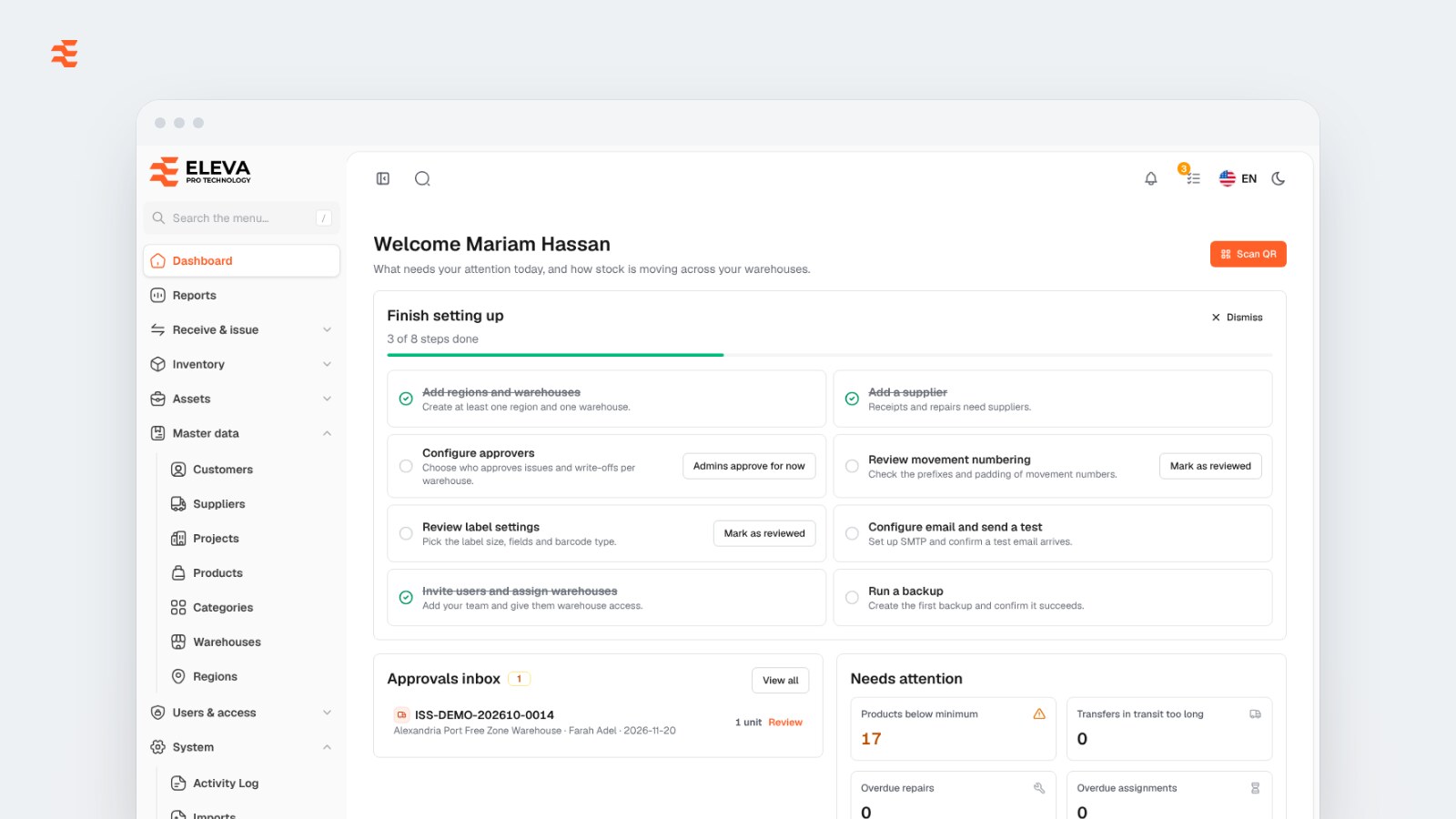
The right warehouse management system for your company is the one that tracks every unit from receipt to delivery, enforces the approval chain you actually work with, speaks your team's language, and gives you reports you can trust at count time and at audit time. Do not start by comparing prices or feature counts. Start by mapping how a unit moves through your warehouses, then test every candidate system against specific questions during the demo. This guide gives you 12 practical questions, then shows, openly, how the warehouse management system we build at Eleva answers them, with real screens from the system and links to its user manual.
Key takeaways
- Define the unit's journey first: receive, tag, store, transfer, issue. A good WMS records every step as a movement with a status, a person and a time.
- Separate what you need from what demos well: unit-level tracking, approvals and per-warehouse permissions matter more than colourful screens.
- Ask every vendor to run your scenarios in front of you, not their prepared demo script.
- If your team works in Arabic, check that the right-to-left interface is built in, not bolted on, and that English is available in the same system.
What is a warehouse management system, and when do you need one?
A warehouse management system (WMS) records what enters a warehouse, what leaves it and what moves between warehouses, and knows at any moment where each unit is, who owns it and what state it is in. It differs from a spreadsheet because it enforces rules: a reserved unit cannot be issued, a shipment cannot move without approval, and a balance cannot change without a written trail.
The need for warehouse software usually shows up when one or more of the following happens:
- You now run more than one warehouse or site, and nobody can say exactly where a unit is right now.
- You handle items with serial numbers, warranties or high value, so you need to track each piece, not just quantities.
- Issues or transfers need approval, and today those approvals happen by phone or on paper and then get lost.
- Stock counts take days and end with discrepancies nobody can explain.
- Auditors or management ask for the stock position on a past date, and someone rebuilds it by hand.
If at least two of these apply to you, moving to a dedicated warehouse management system will save more time and errors than it costs.
Start with the unit's journey, not the feature list
The fastest way to evaluate any WMS is to draw how a unit moves through your company on one page, then ask the system to walk the same path step by step. In most companies that handle assets, equipment and serialised parts, the journey looks like this:
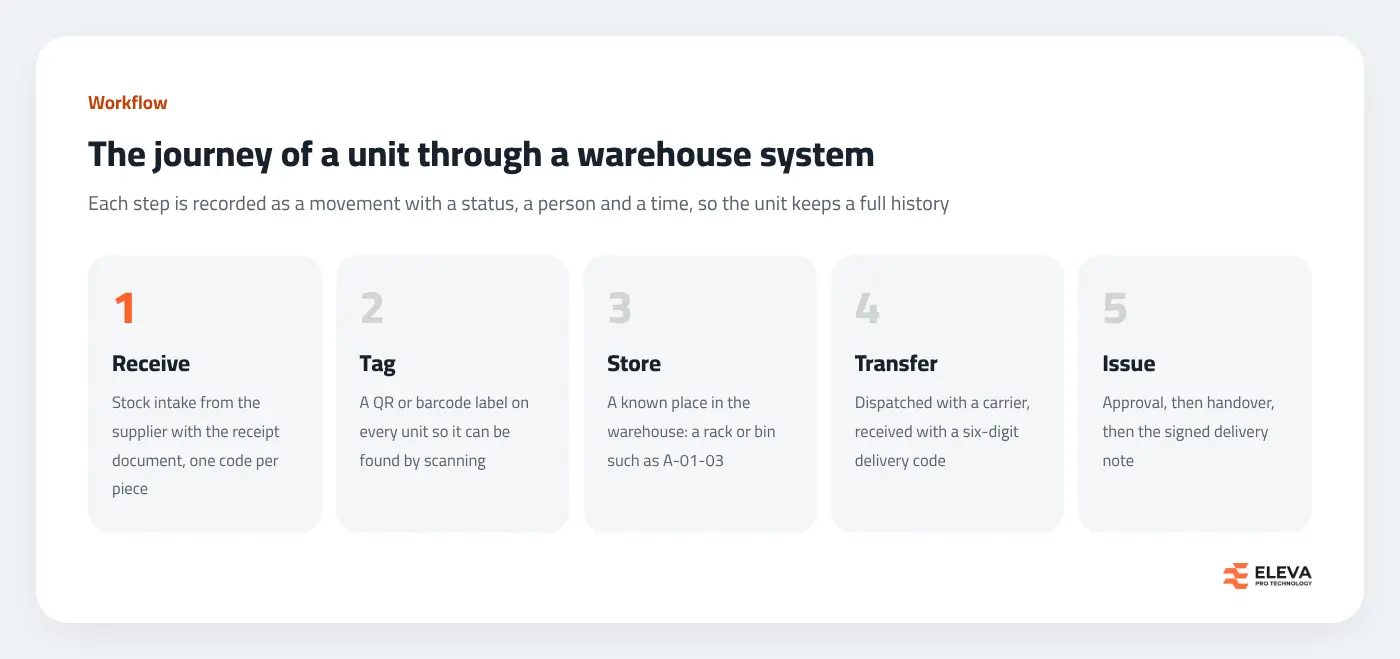
- Receive: units arrive from the supplier with a receipt document, and every unit gets a code.
- Tag: a QR or barcode label is printed for each unit so it can be found by scanning.
- Store: the unit is put in a known place inside the warehouse, such as a rack or a bin.
- Transfer: units move between warehouses with a carrier, and the destination confirms they arrived.
- Issue: units leave to a customer or project after approval and handover.
Write your own version, using the stage names your team uses, and mark at each step: who does it, who approves it, and which document proves it. That page is your reference in every demo.
The checklist: 12 questions to ask before you buy a WMS
Use this table during vendor demos. Do not accept a plain "yes"; ask to see the answer on screen.
| # | Question | What to ask to see in the demo |
|---|---|---|
| 1 | Does the system track each unit by its own code, or only quantities? | One unit and its full movement history from receipt to today. |
| 2 | Does it print QR or barcode labels and read them with a device camera or a scanner? | Print labels for a batch of units, then scan one and open its details. |
| 3 | Does it know where a unit sits inside the warehouse? | Define a rack or bin and move units into it. |
| 4 | Does every movement have clear stages and statuses? | An issue going from "Pending Approval" to "Completed", with who did each stage. |
| 5 | Does it support multi-level approval based on the issue's value? | Configure approval levels and run an issue above the second level's threshold. |
| 6 | How does it prove a transfer really arrived? | Dispatch a transfer, receive it at the other warehouse and report one damaged unit. |
| 7 | Can you count stock without stopping work, and with a weak connection? | A scan-based count showing matched, missing and unexpected units. |
| 8 | Are permissions limited by role and by warehouse? Is there two-factor authentication? | A user who sees one warehouse only and cannot issue from any other. |
| 9 | Is there an audit trail for every change? | Who changed a given record and when, with export. |
| 10 | Which reports are ready-made, and can you see stock on a past date? | The stock position at the end of a past month, exported to Excel. |
| 11 | Is the Arabic interface truly right-to-left, with English in the same system? | Switch one user's language and review tables and forms in RTL. |
| 12 | How will your current data move in, and how does the system connect to your other software? | A ready import template and a documented API. |
Questions 1 to 3 cover data accuracy, 4 to 7 cover movement control, 8 to 10 cover oversight and accountability, and the last two cover daily operation and data migration. If a system fails a whole group, it probably does not fit the way you work, whatever its price.
How Eleva's bilingual WMS answers these questions
At Eleva we build the Warehouse Tracking & Management System, so here is how it handles each criterion, with a link to the user-manual page that walks through the steps. The screens below are real screens from the system; the data in them is demo data.
Every unit tracked by code and QR label
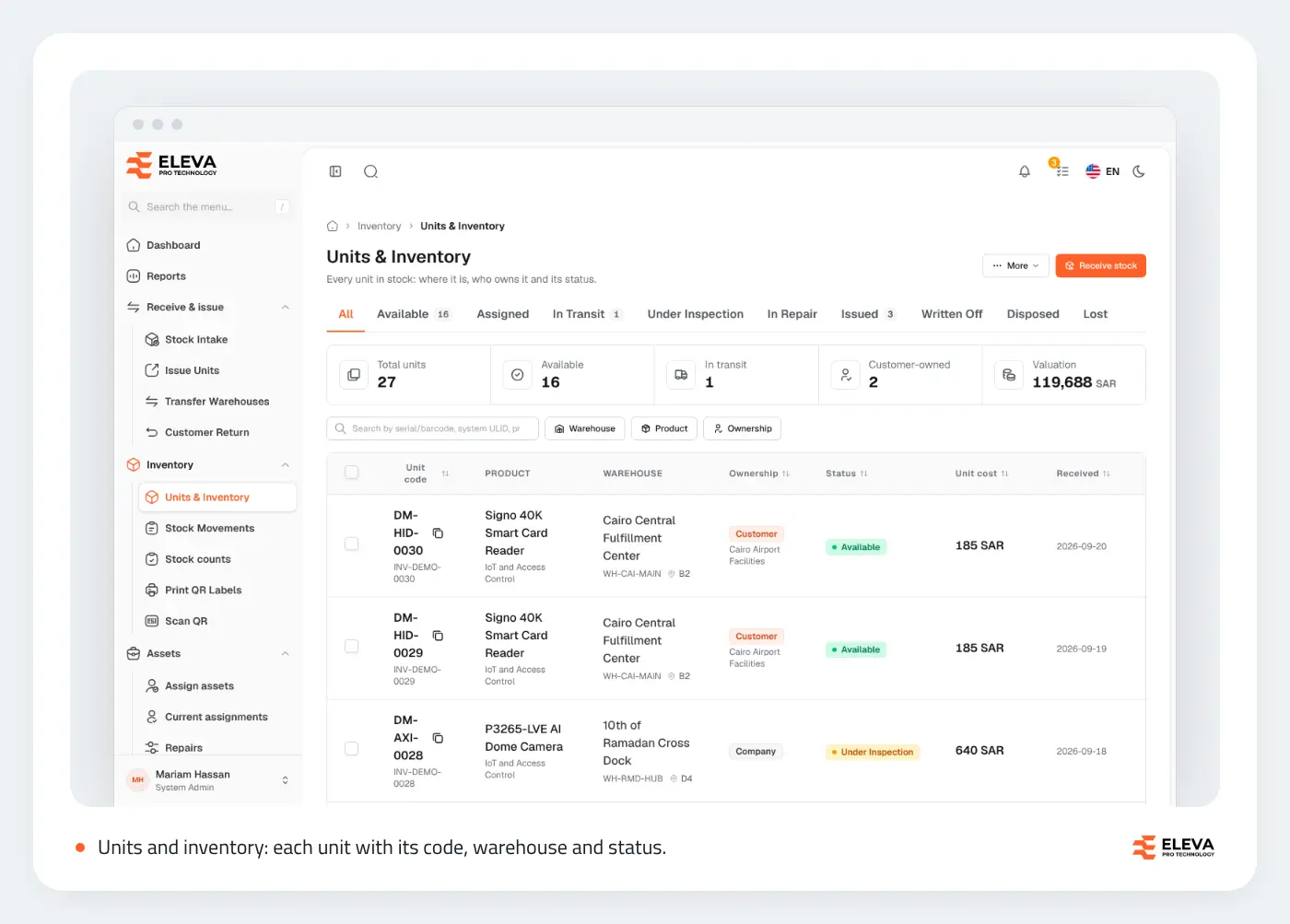
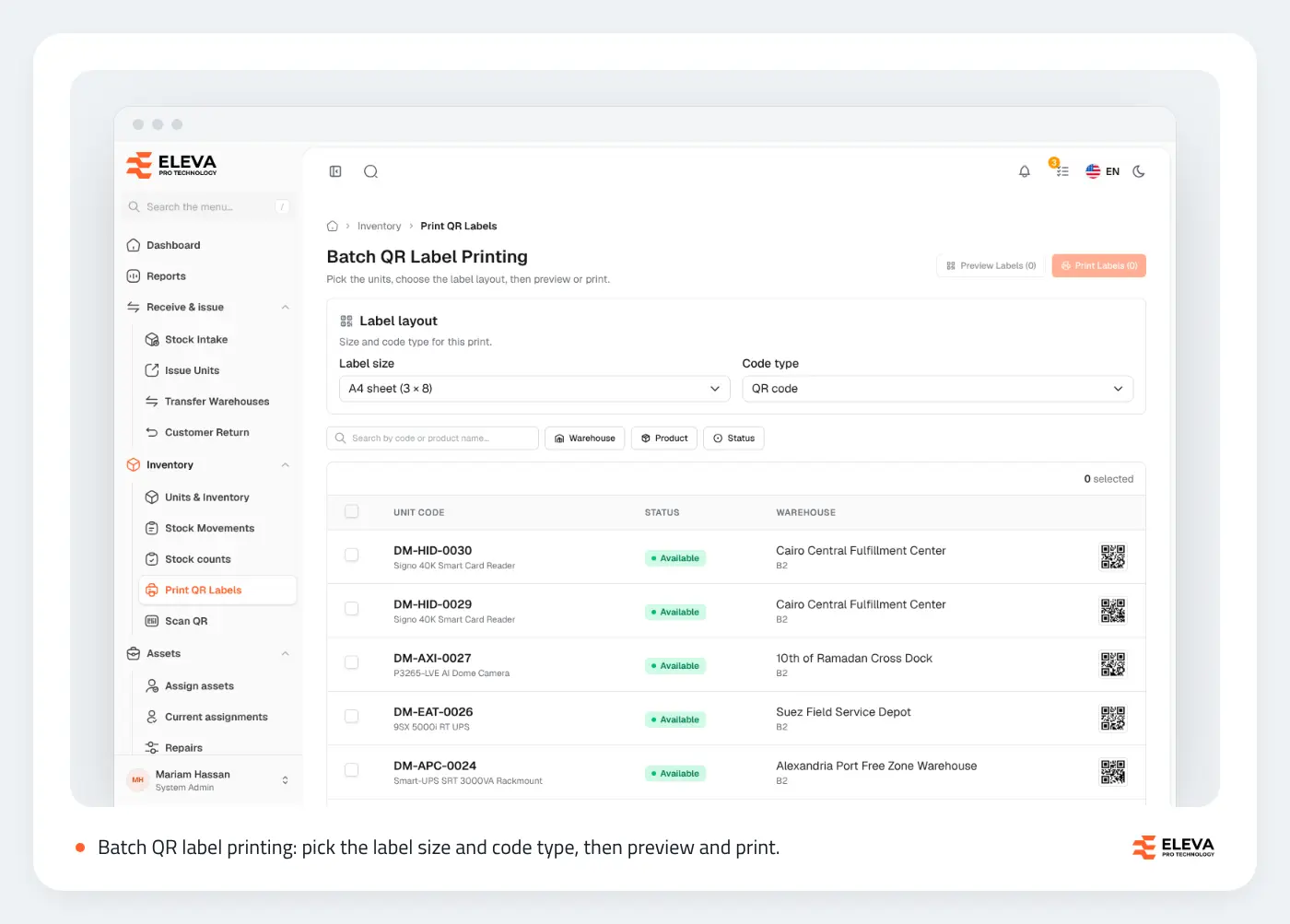
Each piece in the system is a separate unit with its own code. The Units & Inventory screen shows its warehouse, ownership (company-owned or customer consignment), status, cost and receipt date, with status tabs such as Available, In Transit, Under Inspection, In Repair and Issued. At receipt you can type the unit code or leave it empty for the system to generate, then print QR labels for many units at once by choosing the label size and the code type (QR or linear barcode).
On the floor, the Scan QR screen opens a unit's details as soon as its label is scanned with a phone or tablet camera, and a code can also be typed or entered with a USB handheld scanner. QR codes follow a published international specification, ISO/IEC 18004, which is why common cameras and scanners can read them.
Movements with stages and multi-level approval
An issue does not take units out of stock directly. Issue approval and delivery runs through four stages: Pending Approval (the units are reserved and cannot join another movement), Approved, In Transit / Handover, and Completed once the signed delivery note is uploaded. You can configure approval levels where each further level is required when the issue's total value reaches that level's minimum; levels are approved in order, one user can approve only one level of the same issue, and nobody except an administrator can approve an issue they created.
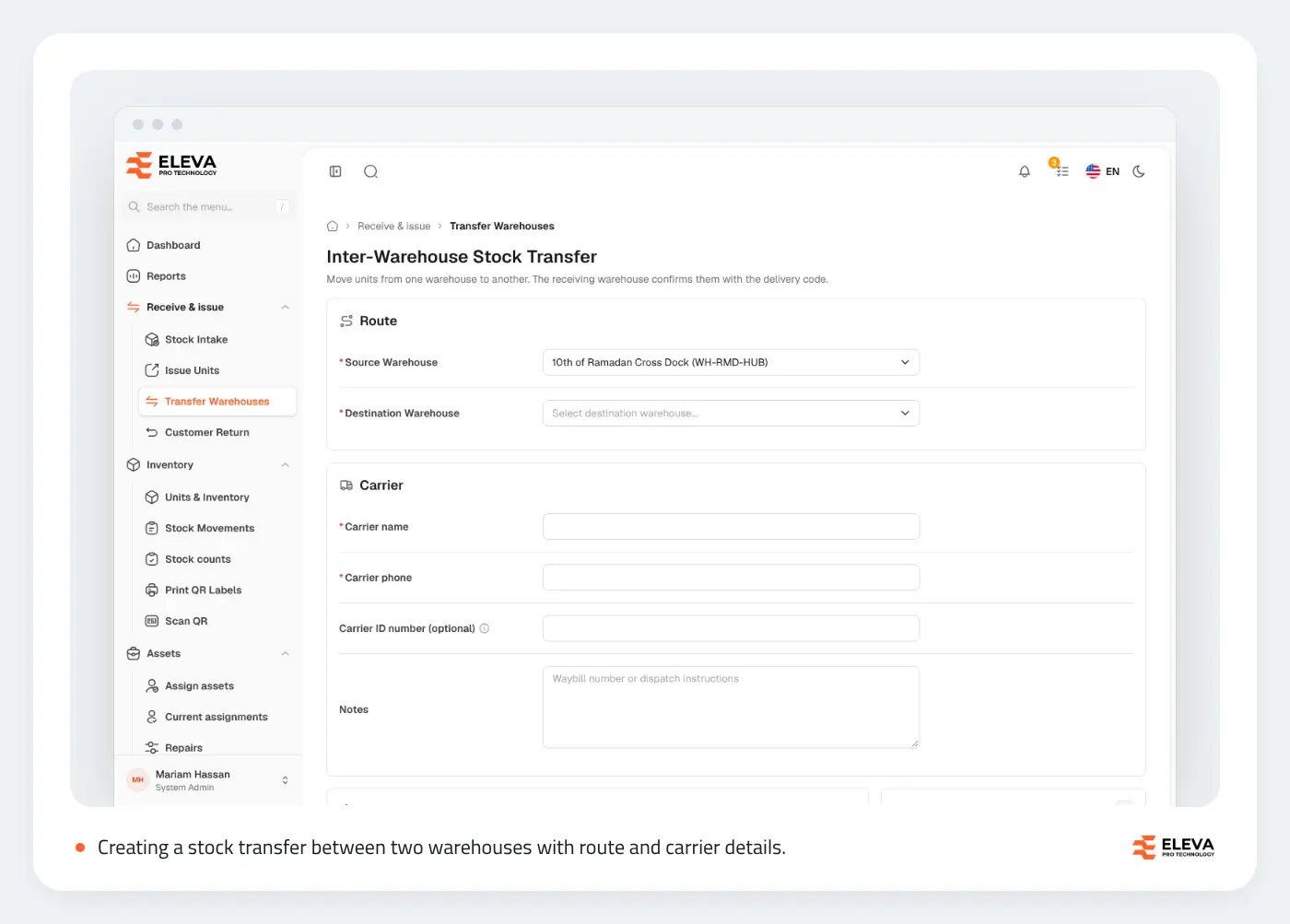
A warehouse transfer is tied together by a six-digit delivery code: the sender gives it only to the carrier, and the receiver enters it when the shipment arrives, then marks every unit as received, damaged or missing. Damaged units go under inspection, missing units are marked lost, and the transfer closes as "Completed with Discrepancy". The code locks after five wrong attempts and expires after a period the administrator sets (72 hours by default).
Stock counts without stopping work
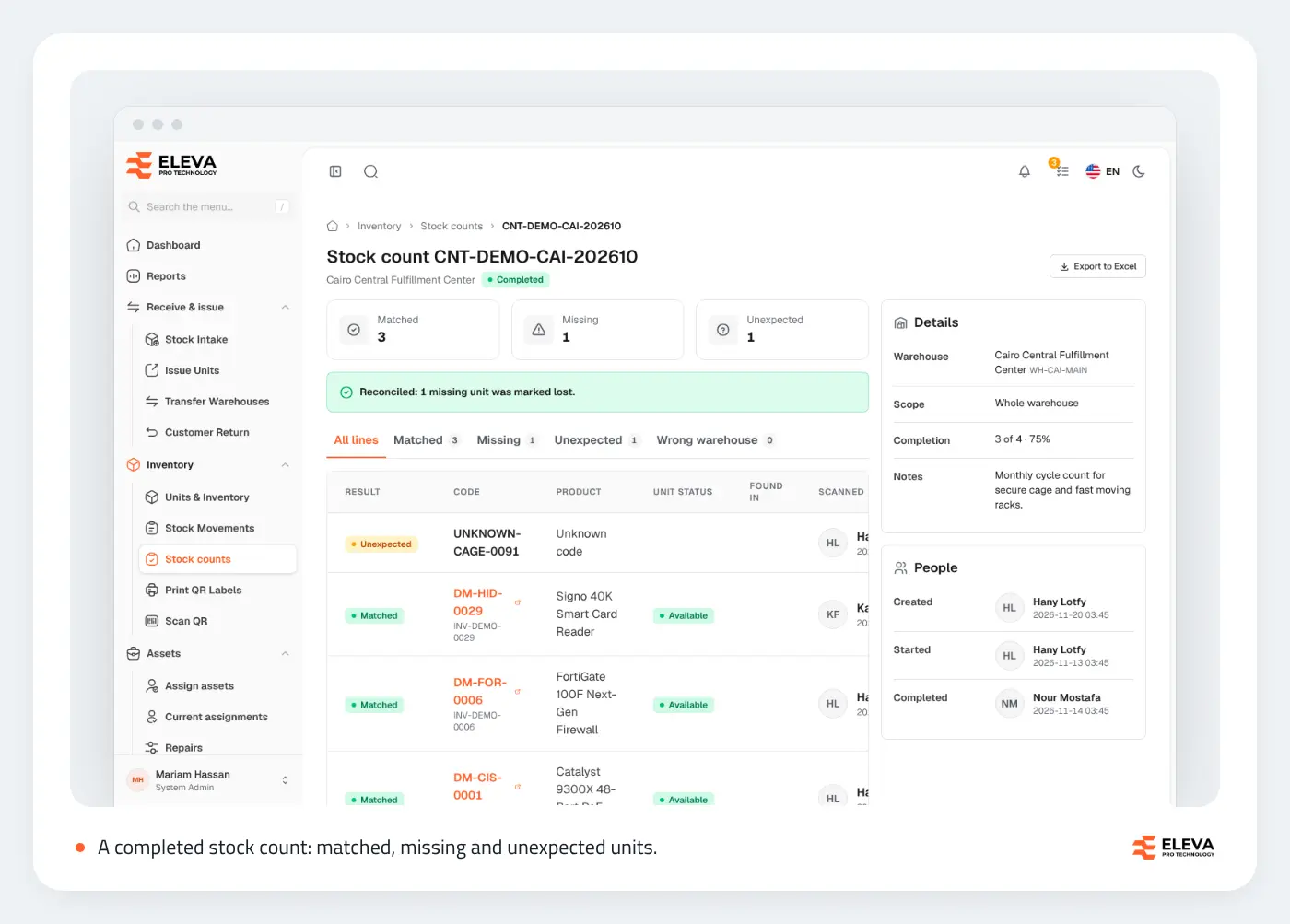
On the stock count screen the team scans unit labels and the system compares each reading with the expected list, sorting results into matched, missing, unexpected and wrong-warehouse lines, with who scanned each unit and when, plus Excel export. The count scanner keeps readings on the device when the connection drops and sends them when it returns, using a key that stops the same reading from being recorded twice.
Per-warehouse permissions and two-factor authentication
A user's role decides what kind of actions they can perform; warehouse personnel assignments decide where. Each assignment has one of three access levels: Operate (the role's permissions apply in that warehouse), Request (see stock and request transfers out of it only) and View only. Two-factor authentication works with an authenticator app and can be enforced for specific roles, a practice recommended by security guidance such as the OWASP Multifactor Authentication Cheat Sheet. The activity log records who did what and when, including sign-ins, approvals and rejections, with filters and export.
Reports for managers and auditors
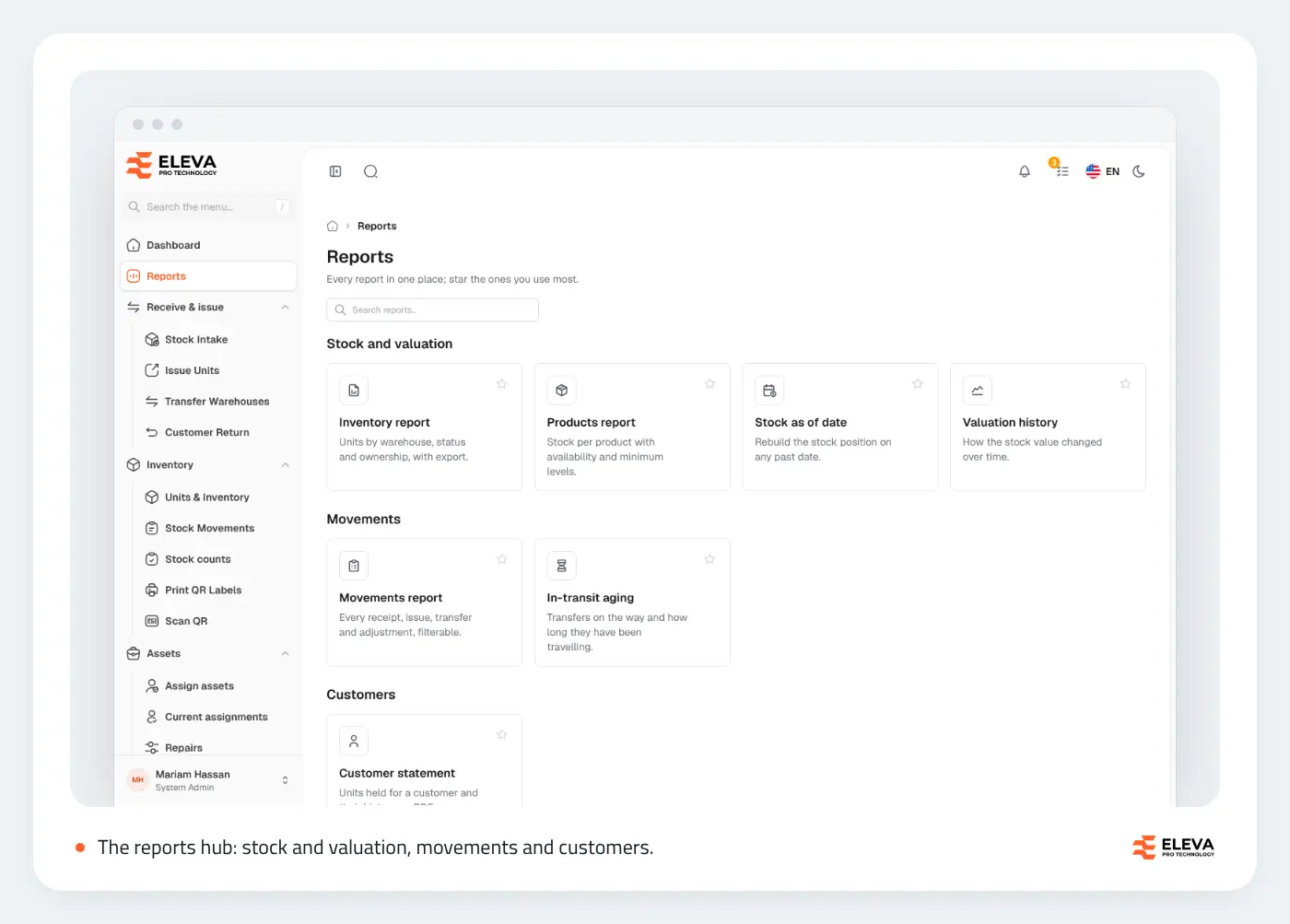
The reports hub brings stock and valuation, movement and customer reports into one place. The most useful one for audits is Stock as of a date, which rebuilds the stock position and its value at the end of any past day from the unit history. There are also in-transit aging, a customer statement as PDF, a custom report builder and scheduled reports emailed daily, weekly or monthly as an Excel attachment.
Arabic and English in the same system
The system is designed Arabic-first, right to left, and every user can switch to English in their language and notification preferences; emails go out in the language the user picks. This matters when operators prefer Arabic while managers or auditors read English. When you evaluate any system, check that the interface is built for right-to-left text rather than merely translated; the W3C guidance on text direction explains why direction belongs in the structure itself.
Data migration and integration
Bulk import from Excel or CSV provides templates for categories, warehouses, products, customers, users, inventory units and opening balances, and skips rows that already exist, so uploading the same file twice does not duplicate data. For integration there is a REST API used with API tokens that carry read or write abilities and apply the same user and warehouse permissions as the web app.
What it does not do
- It is built around tracking individual units. If your operation is high-volume e-commerce picking with pick waves and automated slotting, you need a different class of system.
- It is not an accounting system. It records unit cost and stock value, and connects to accounting through the API or exports.
- Scheduled report send times are set in UTC, so convert your local time when you configure them.
Off-the-shelf, custom, or a product you can customise?
You usually have three routes. Off-the-shelf software is the fastest to start, but may handle Arabic or local approval chains poorly. A custom build fits your process exactly, but needs development time and a team to support it. The third route is an existing product that can be adapted, which is what we offer: the warehouse management system as it is, customised through web application development where needed, and connected to your current software through systems integration. Choose the route by the size of the gap between your unit journey and what the system does without changes.
Practical steps to evaluate a WMS before you sign
- Map the unit's journey as described above, with the owner and the document at each step.
- Prepare a real data sample: a few products and units, two warehouses and users with different roles.
- Ask for a demo of your scenarios: a receipt, then a transfer with one damaged unit, then an issue that needs two approval levels.
- Test the 12 questions and record for each one: shown in the demo, needs customisation, or not available.
- Pilot in one warehouse before rolling out, and train operators on scanning and label printing first.
- Agree on data migration, data ownership, backups and support after go-live.
Frequently asked questions
What is the difference between a WMS and an ERP?
An ERP covers finance, purchasing, sales and HR, and often treats inventory as quantities and balances. A WMS focuses on what happens inside the warehouse: where each unit is, who moved it and who approved the movement. Many companies run both and connect them through an API.
Do I need special scanning hardware?
Not necessarily. Eleva's system reads QR codes and barcodes with a phone or tablet camera in the browser, and also accepts USB handheld scanners.
Can I limit a user to one warehouse?
Yes. Users are assigned to the warehouses they work in with Operate, Request or View-only access, and cannot work on a warehouse they are not assigned to.
How do I start an evaluation?
Send us your unit journey and the number of warehouses and users, and we will demo the system on your scenarios.
Conclusion
Choosing a warehouse management system is an operational decision before it is a technical one. Map the unit's journey, test every system against the 12 questions, and prioritise unit-level tracking, approvals, per-warehouse permissions and audit-ready reports. If you want to see how our bilingual system applies these criteria to your own data, contact us to book a demo or visit the Warehouse Tracking & Management System page.
Try the Warehouse Tracking & Management System yourself: the live demo with sample data, and the step-by-step user manual. The system is sold as a one-time licence or a fixed annual fee plus annual maintenance, installed on your company's server with no fee per warehouse or user. Request a demo from the product page.