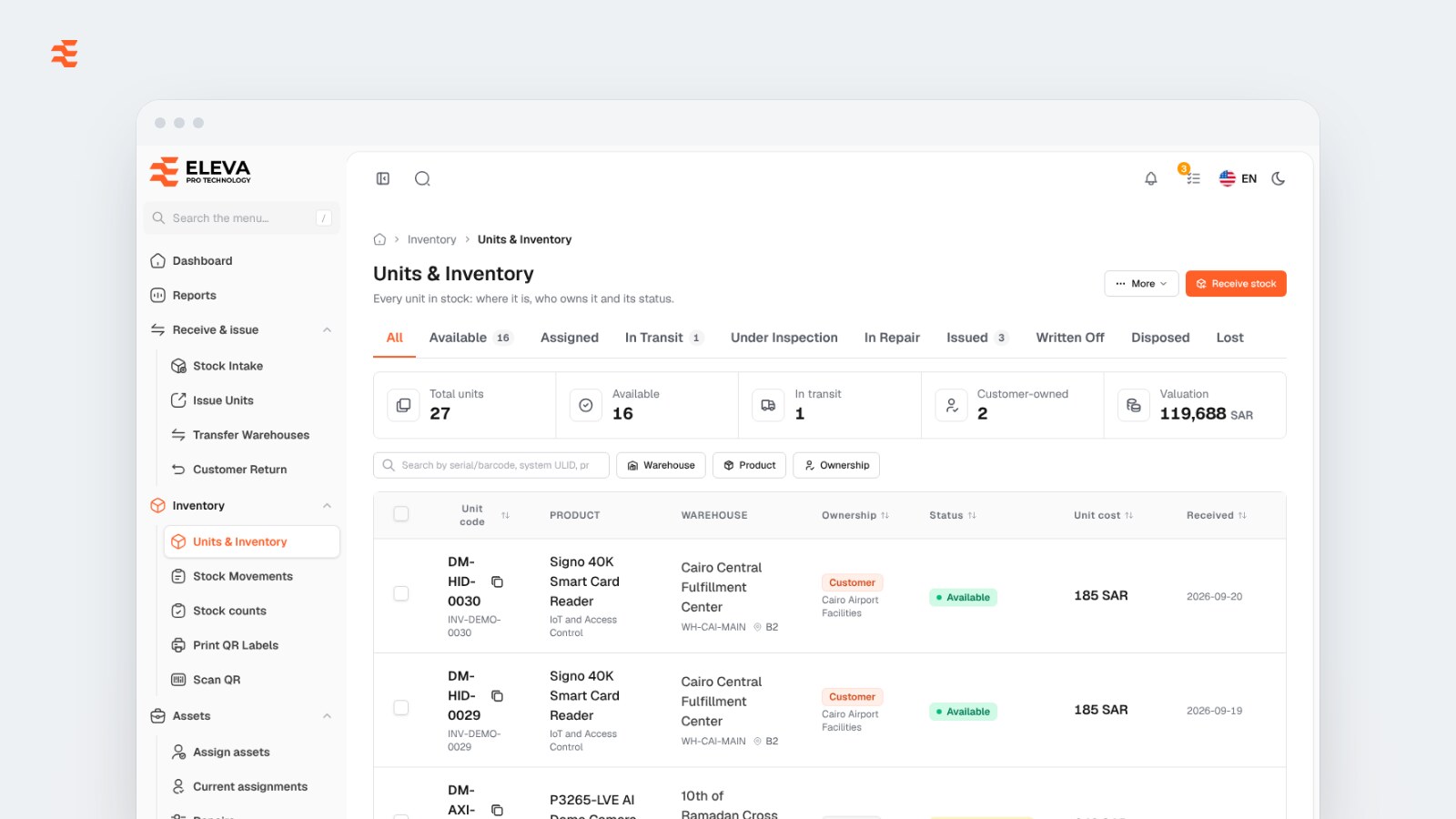
Excel is enough for inventory management when you have one warehouse, one or two people editing the file, items managed by quantity rather than by individual unit, and a low daily volume of movements that need no approval. It starts costing more than it saves when several people edit, when you add warehouses, when you need to know where each serial-numbered unit is, when issues need approval before they happen, or when you need a record of who changed what and when. The problem is not Excel itself, which is an excellent tool for calculation and analysis. It is using it as a system of record for movements when it was never designed to enforce their rules. This article gives Excel a fair hearing: what it does well, where its hidden cost begins, and how to tighten your file if you decide to stay with it.
Key takeaways
- Data volume is rarely the issue: a single Excel worksheet holds over a million rows.
- Rules are the issue: Excel accepts any edit to any cell and will not stop you issuing a unit that is not there or changing a balance without a document.
- Audits of real business spreadsheets found errors in most of the files examined with thorough methods.
- If you stay on Excel, record movements rather than balances, protect your formulas, and keep one file as the single source of truth.
What does Excel do well for inventory management?
It is only fair to start with what Excel does well, because plenty of successful companies have run their stores on it for years:
- Available and familiar: most staff already know it, with no training or implementation project.
- Flexible: adding a column for warranty dates or project names takes a minute, with no developer.
- Strong at analysis: pivot tables, charts and formulas make consumption and value analysis easy.
- Large capacity: according to Microsoft's published specifications, a worksheet holds 1,048,576 rows by 16,384 columns, far more than a mid-sized warehouse needs.
So if your warehouse is small and run by one person who knows every item in it, there is no rush. Excel with good discipline may genuinely be enough.
For a quick check, answer four questions: Do more than two people edit the file? Do you have more than one warehouse or site? Do you need to know where a specific serial-numbered unit is? Do issues need written approval? If every answer is "no", Excel probably fits you today, and your effort is better spent on using it well, as described below. If two or more answers are "yes", read the next sections carefully, because you are likely paying Excel's cost without seeing it as a clear line item.
Where does Excel start costing more than it saves?
The cost never arrives as an invoice. It shows up as staff hours, discrepancies and decisions made on a wrong number, and it usually starts at one of the points below.
When more than one person edits the file
The storekeeper saves a copy on their laptop, the supervisor sends an edited version over WhatsApp, and the accountant works from last week's file. A few days later the question is which file is right. Shared cloud storage eases this but does not solve it, because anyone with edit rights can change any cell.
When nothing stops a mistake
Excel does not know that a unit was issued yesterday and cannot be issued again today, does not reject a negative balance unless you build a rule for it, and does not stop anyone typing over a formula. Spreadsheet errors are more common than people expect: in Raymond Panko's review of field audits of real business spreadsheets (University of Hawaii), the audits that used more thorough methods found errors in at least 86% of the spreadsheets they examined. An inventory file is no exception; it is one of the most frequently edited files a company has.
When you need to track units, not just quantities
A "quantity = 12" column works for boxes of screws. It cannot answer "where is the laptop with this serial number, who has it and when does its warranty end?". You can give each unit its own row, but updating every row's status and location by hand with each movement becomes tedious and error-prone. A USB barcode scanner can type a code into a cell, but it will not change the unit's status or record a movement by itself.
When movements need approval
In most companies, issuing expensive equipment needs a manager's approval. With Excel, that approval happens outside the file: a call, a WhatsApp message or a signature on paper. At audit time nothing links the issue recorded in the file to the approval that preceded it.
When you run more than one warehouse
One file per warehouse means nobody sees the whole picture; one file for all warehouses means everyone edits the same file. And units that have left one warehouse but not yet reached the next have no natural place in the sheet: they get deducted too early or added too early.
When you hit a limit you cannot see
A warehouse rarely reaches Excel's limits, but the danger is that when a limit is reached, nobody may notice. In October 2020, Public Health England reported that 15,841 COVID-19 cases between 25 September and 2 October had been left out of the daily figures, and reports traced the error to an Excel file in the old XLS format that had reached its maximum size. The lesson for a warehouse is not about data volume; it is that a spreadsheet does not warn you when it loses something.
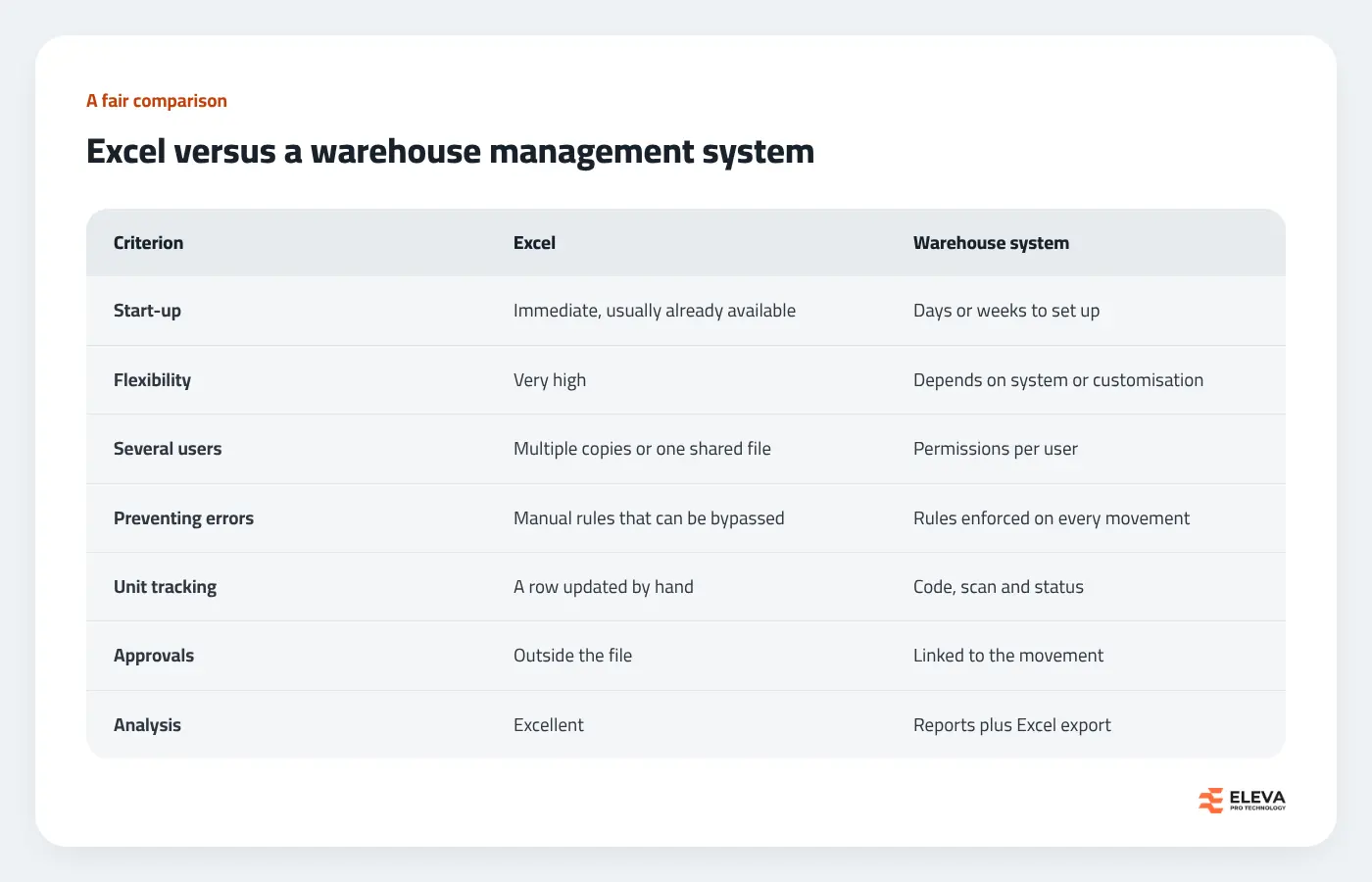
Excel or a warehouse system? A quick comparison
| Criterion | Excel | Warehouse management system |
|---|---|---|
| Cost and start-up | Usually already available; starts today | Subscription or implementation; days or weeks to set up |
| Flexibility | Very high; any column in a minute | Limited to what the system supports, or customisation |
| Several users | Multiple copies, or one shared file everyone edits | Each user sees and edits according to permissions |
| Preventing errors | Manual, with validation rules that can be bypassed | Enforced rules: no issuing a unit that is not available |
| Unit tracking | A row per unit, updated by hand | A code, a scan and a status that changes with each movement |
| Approvals | Outside the file | Inside the system, linked to the movement |
| Change history | File version history, if any | A record of every movement, who did it and when |
| Analysis | Excellent | Ready reports, plus export to Excel for analysis |
If you stay on Excel, how do you reduce the risk?
If Excel still fits your size, these rules make it safer:
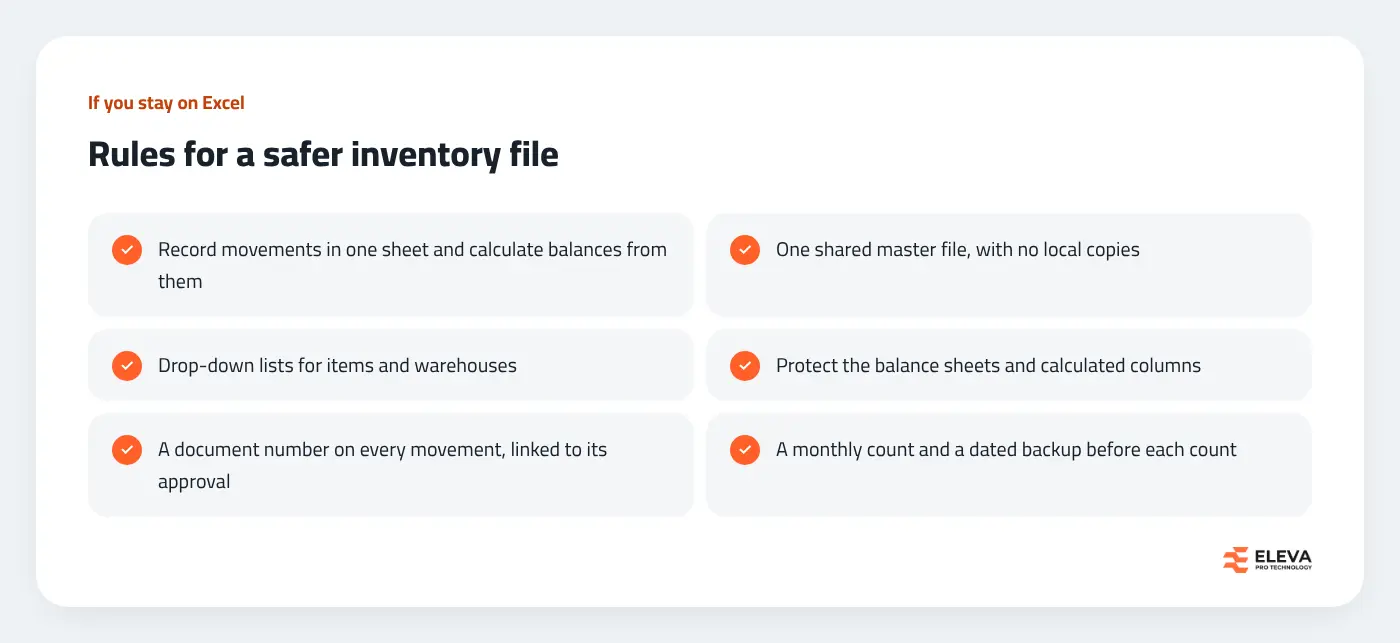
- Record movements, not balances: a "Movements" sheet gets one row per receipt and issue, and balances are calculated from it with formulas. Nobody types a balance by hand.
- One file is the master: kept in one shared location, with no working on local or emailed copies.
- Drop-down lists for items and warehouses: using data validation, so the same item is never typed two ways.
- Protect formulas and sheets: lock the balances sheet and calculated columns, and leave only the movements sheet open for entry.
- A document number on every movement: linking the row in Excel to the paper slip or message that proves approval.
- Regular counts and backups: compare the file to the shelf at least monthly, and keep a dated copy before each count.
If applying these rules starts taking significant time every day, or the team skips them under pressure, that is a sign the warehouse has outgrown Excel. Other signs are covered in 5 signs your warehouse needs a system, and you can measure what discrepancies really cost with the method in the hidden cost of lost inventory.
How Eleva's system handles this
Moving off Excel does not mean abandoning it. In Eleva's Warehouse Tracking & Management System, you start from your existing files: bulk import provides templates for categories, warehouses, products, customers, users, inventory units and opening balances from Excel or CSV, skips rows that already exist so uploading a file twice does not duplicate data, and lists any failed rows with the reason for each error.
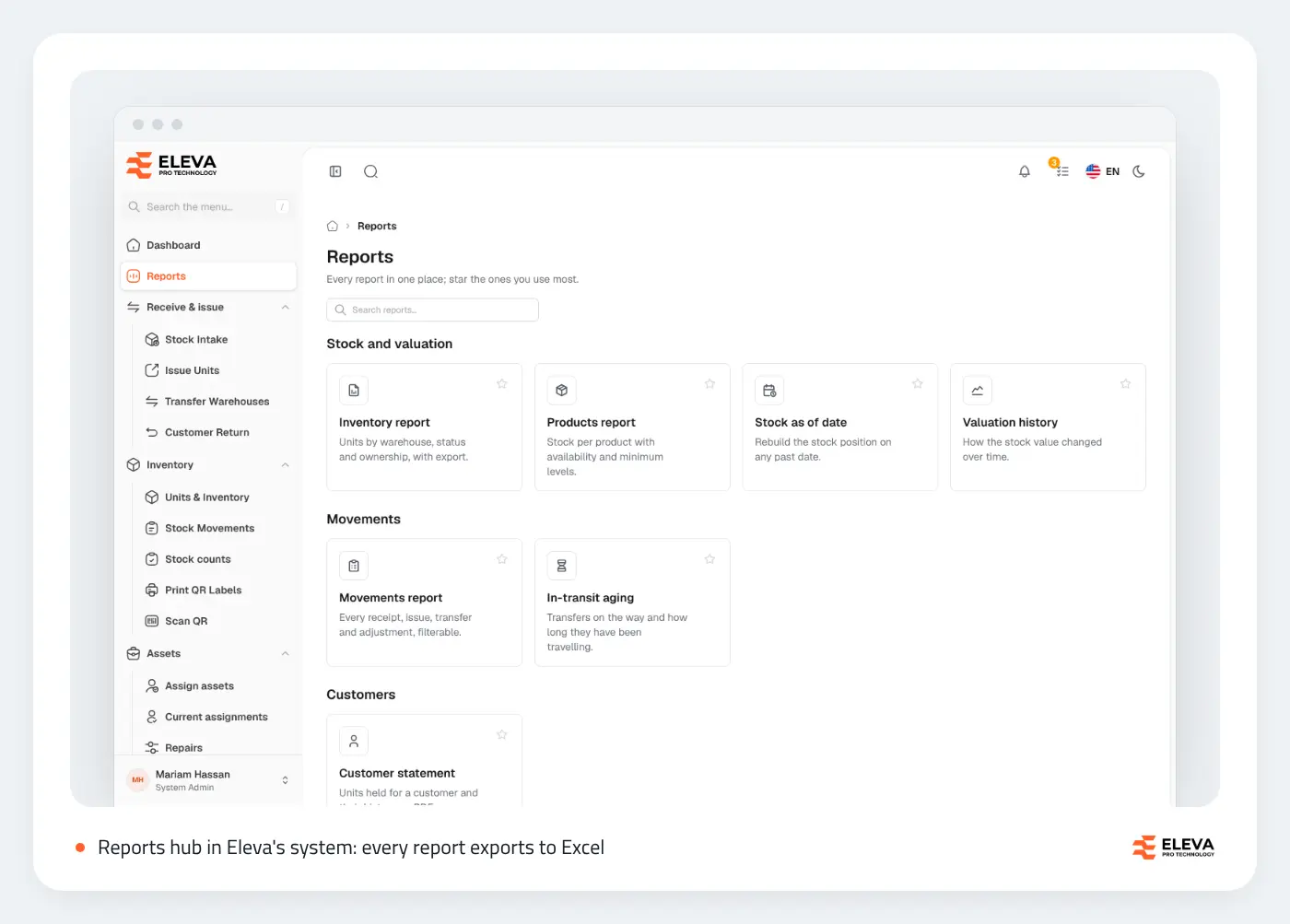
From then on the system enforces what Excel cannot: each unit has a QR code and a status that changes with every movement, issues go through approval, and each user works only in the warehouses they are assigned to. Excel stays as the analysis tool: every report in the reports hub exports to Excel with the same rows shown on screen, and scheduled reports can arrive by email daily, weekly or monthly with an Excel attachment.
FAQ
Can I use a barcode scanner with Excel?
Yes. Most wired barcode scanners act as a keyboard and type the code into the selected cell. That only speeds up entry, though; Excel will not check that the unit is available, change its status or record who issued it.
Is Google Sheets better than Excel for inventory?
It makes working on one shared file easier, but at its core it is the same: a sheet that accepts any edit and does not enforce movement or approval rules. The same decision applies.
How long does moving from Excel to a warehouse system take?
It depends on the number of warehouses and items and on the quality of your current data. We set out a week-by-week plan in how to move from paper to a WMS in 30 days.
Conclusion
Excel is an excellent tool for calculation and analysis, and it is enough for a small warehouse with simple movements and one person in charge. Once users and warehouses multiply and approvals and unit tracking become necessary, its flexibility turns into a cost. Assess your situation honestly, and if you decide to move, start with the criteria in our guide to choosing a warehouse management system. If you would like to see your current file imported into the system, contact us to book a demo.
Try the Warehouse Tracking & Management System yourself: the live demo with sample data, and the step-by-step user manual. The system is sold as a one-time licence or a fixed annual fee plus annual maintenance, installed on your company's server with no fee per warehouse or user. Request a demo from the product page.