For labelling units inside a warehouse, a QR code is the better fit for most companies today: a phone camera reads it, it holds more data in less space, and it survives some damage. A Code 128 linear barcode is still the right choice if your team works with laser scanners, and printing both on the same label covers both cases. GS1 standards matter when you exchange goods with trading partners or sell products with a global barcode, not when you number your own assets and units internally. This article explains the difference using the official standards, when to choose each type, what to put inside the code, and how to print a label that reads first time.
Key takeaways
- A linear barcode (such as Code 128) is read by a laser scanner or a camera; a QR code needs an imaging scanner or a phone camera.
- A QR code tolerates up to 30% damage at its highest error-correction level and holds far more data in a small area.
- Put a short, unique unit code inside the symbol and keep everything else in the system.
- GS1 keys such as GTIN and SSCC are for trade and supply chains, not for numbering internal assets.
What is the difference between a linear barcode and a QR code?
A linear (1D) barcode is a row of parallel bars of varying width read in one direction. The most common in warehouses is Code 128, which encodes letters, digits and symbols, and whose specification is the international standard ISO/IEC 15417. A QR code is a two-dimensional (2D) symbol made of small squares read horizontally and vertically at once, specified in ISO/IEC 18004. Because both are published standards, devices and software from many different vendors can read them.
The practical difference shows up in four areas:
| Aspect | Linear barcode (Code 128) | QR code |
|---|---|---|
| Reader | Laser scanner, imaging scanner or camera | Imaging scanner or phone camera; linear laser scanners cannot read it |
| Data capacity | Limited; a longer code means a wider label | Up to 7,089 digits or 4,296 alphanumeric characters at the largest version |
| Damage tolerance | A scratch across the bars can stop it reading | Four error-correction levels, up to 30% |
| Orientation and space | Needs width, and the scanner aligned with the bars | A small square readable from any angle |
The capacity and error-correction figures come from DENSO WAVE, the company that created the QR code: a maximum of 7,089 numeric or 4,296 alphanumeric characters, and error-correction levels L (about 7%), M (about 15%), Q (about 25%) and H (about 30%) of codewords recoverable. A higher level makes the symbol larger for the same data, which is why level M is the usual choice.
What do GS1 standards say, and when do they apply to you?
GS1 is a global not-for-profit organisation that sets product identification standards, represented in each country by a member organisation, such as GS1 Saudi Arabia (the Saudi Barcode Center), which licenses the company prefixes Saudi companies need to create GTINs. What matters to a warehouse manager:
- GTIN on traded products: the number under the EAN/UPC barcode on packaging. You need it if you sell products to retailers, and it is issued by the GS1 organisation in your country, so do not invent look-alike numbers for internal labels.
- GS1-128 and SSCC on shipments: GS1-128 is a subset of Code 128 reserved for GS1 data, used on the GS1 Logistic Label, where the SSCC is the single mandatory element identifying each pallet or shipment. If a customer or distributor requires it, use it on outbound shipments.
- 2D codes at retail: GS1's Sunrise 2027 initiative aims for retail point-of-sale systems to read GS1 DataMatrix and QR codes using GS1 Digital Link by the end of 2027, with linear barcodes continuing alongside them. GS1's guideline for 2D barcodes at retail point of sale notes that linear laser scanners cannot read these symbols and need replacing with imaging scanners.
The upshot: the internal tracking code you put on a device, tool or spare part inside your company does not need GS1 registration. But the direction of the market is clear: 2D codes are spreading and imaging scanners are replacing lasers, which is one more reason to choose a label that will still suit you in a few years.
Which code should you choose? It depends on your situation
There is no single right answer for every warehouse. Use these cases to decide:
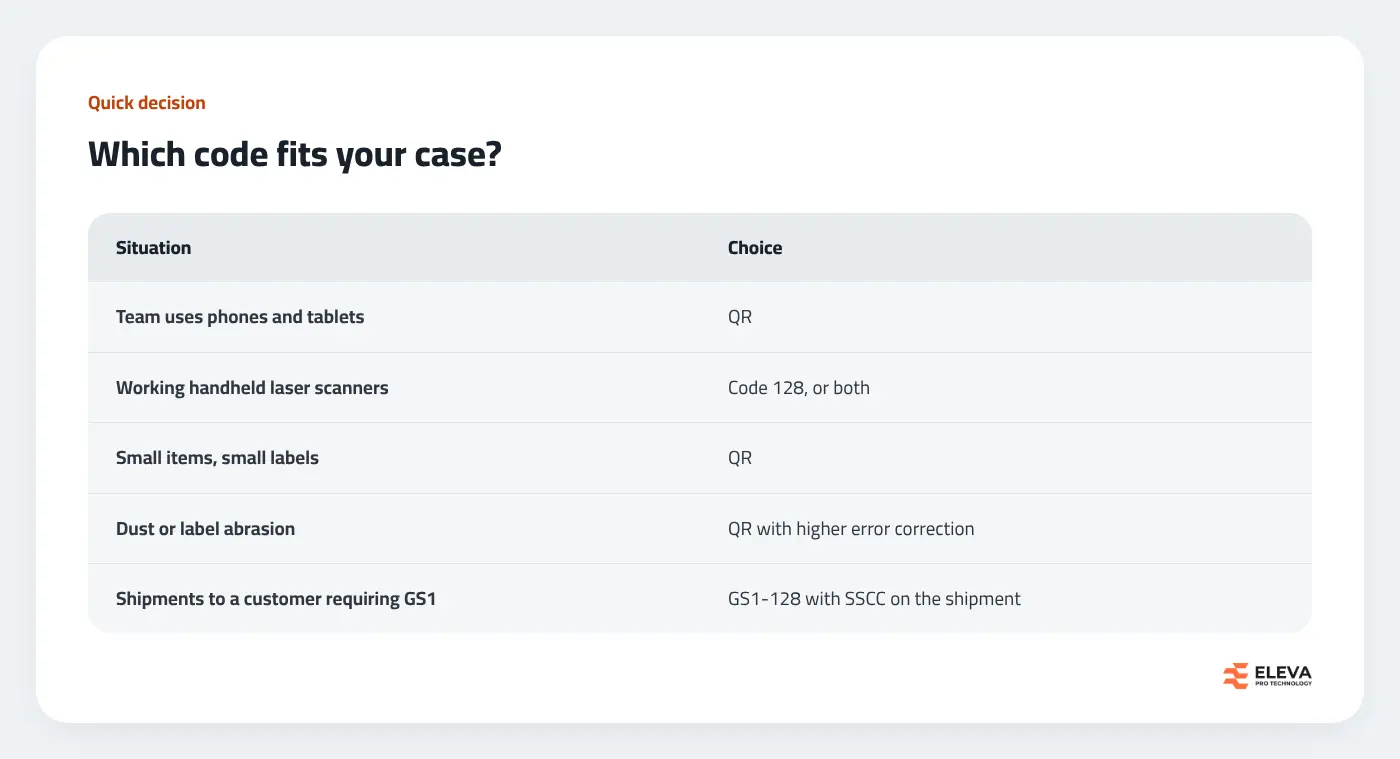
- Your team works with phones and tablets: QR. Phone cameras read it quickly from any angle, with no hardware to buy.
- You have handheld laser scanners that work well: Code 128, or both until you move gradually to imaging scanners.
- Items are small and the label must be small: QR, because it is a compact square, while a linear barcode gets wider as the code gets longer.
- The environment is dusty or labels get rubbed: QR with a higher error-correction level, on a tougher label material.
- A customer or distributor requires a specific standard: follow it on outbound shipments; your internal label can stay as it is.
What should you put inside the code?
A common mistake is trying to fit everything into the symbol: item name, price, supplier and status. That makes the symbol larger and slower to read, and worse, printed data does not change when the real status or location changes. A better rule:
- Encode a short, unique code for each unit that never repeats and is never reused, and let the system hold the rest and show it on scan.
- Do not encode what changes, such as status or current warehouse; a scan should show the current state, not the state on the day of printing.
- Print human-readable text under the symbol: the code itself and the product name, so it can be typed if the label is damaged.
- Keep the system code separate from the manufacturer's serial number: serials can repeat across manufacturers or be very long, while a system code is fixed and guaranteed unique.
That unique code underpins everything that follows: scan-based cycle counting, tracking assets held by employees, and a full history for every unit.
A checklist before you print labels
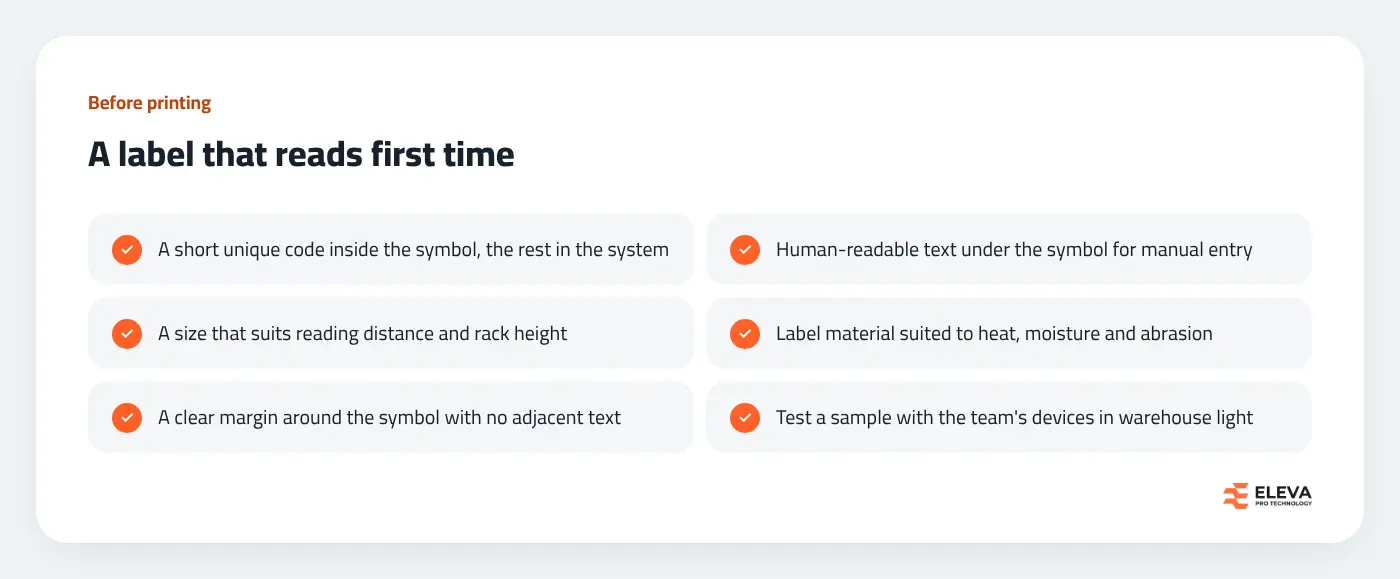
- Choose the size by reading distance: a small label suits close reading with a phone; high racks need a larger one.
- Choose the material by environment: thermal labels for normal use, tougher materials where heat, abrasion or moisture are a problem.
- Leave a clear margin around the symbol and do not print text or borders right against it.
- Fix the label position for each type of item, on a flat, visible spot that will not get scraped in storage.
- Test a sample with the actual devices your team will use, in warehouse lighting rather than office lighting.
- Set a procedure for damaged labels: reprint the same code; do not create a new one.
What about RFID?
RFID reads tags by radio without needing line of sight, and can read many tags at once. But it is a different technology, with higher costs for tags, readers and the infrastructure to run them, and it is usually justified at very high volumes. For most warehouses that track units and assets, a printed label scanned with a camera delivers most of the benefit at lower cost, and RFID can be added later for the areas that need it.
How Eleva's system handles this
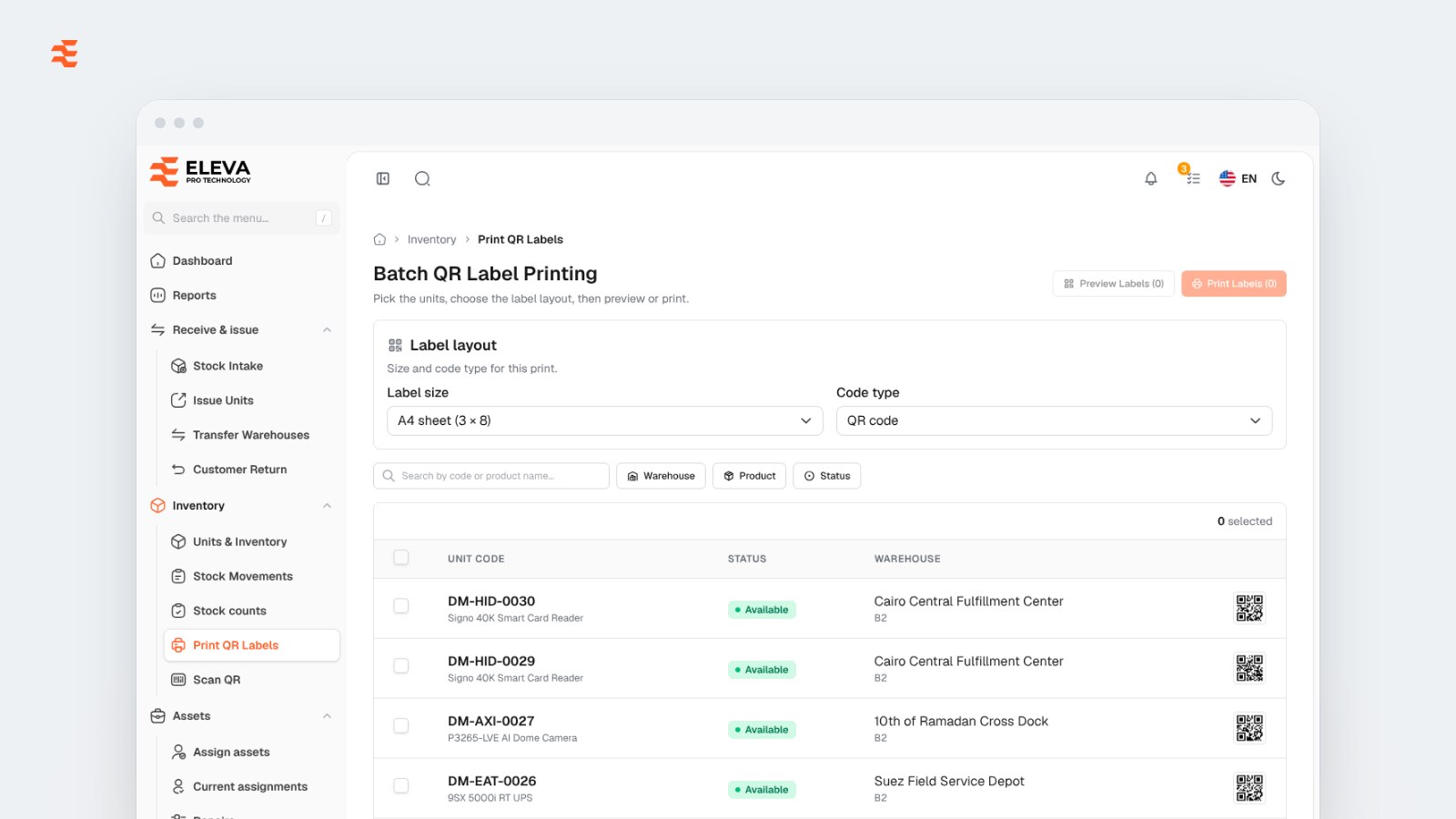
In Eleva's Warehouse Tracking & Management System, every unit gets a permanent tracking code generated by the system, separate from its serial number. In the label settings you choose the code type: QR, Code 128 or both; the label size: 30×20, 50×25 or 70×40 mm, or an A4 sheet of 24; and the details printed under the code, such as product, code, serial number, location and warehouse. Labels for many units are printed in one go from the Print QR labels screen, with a preview first, and any unit's QR code can be downloaded as an SVG file from its page.
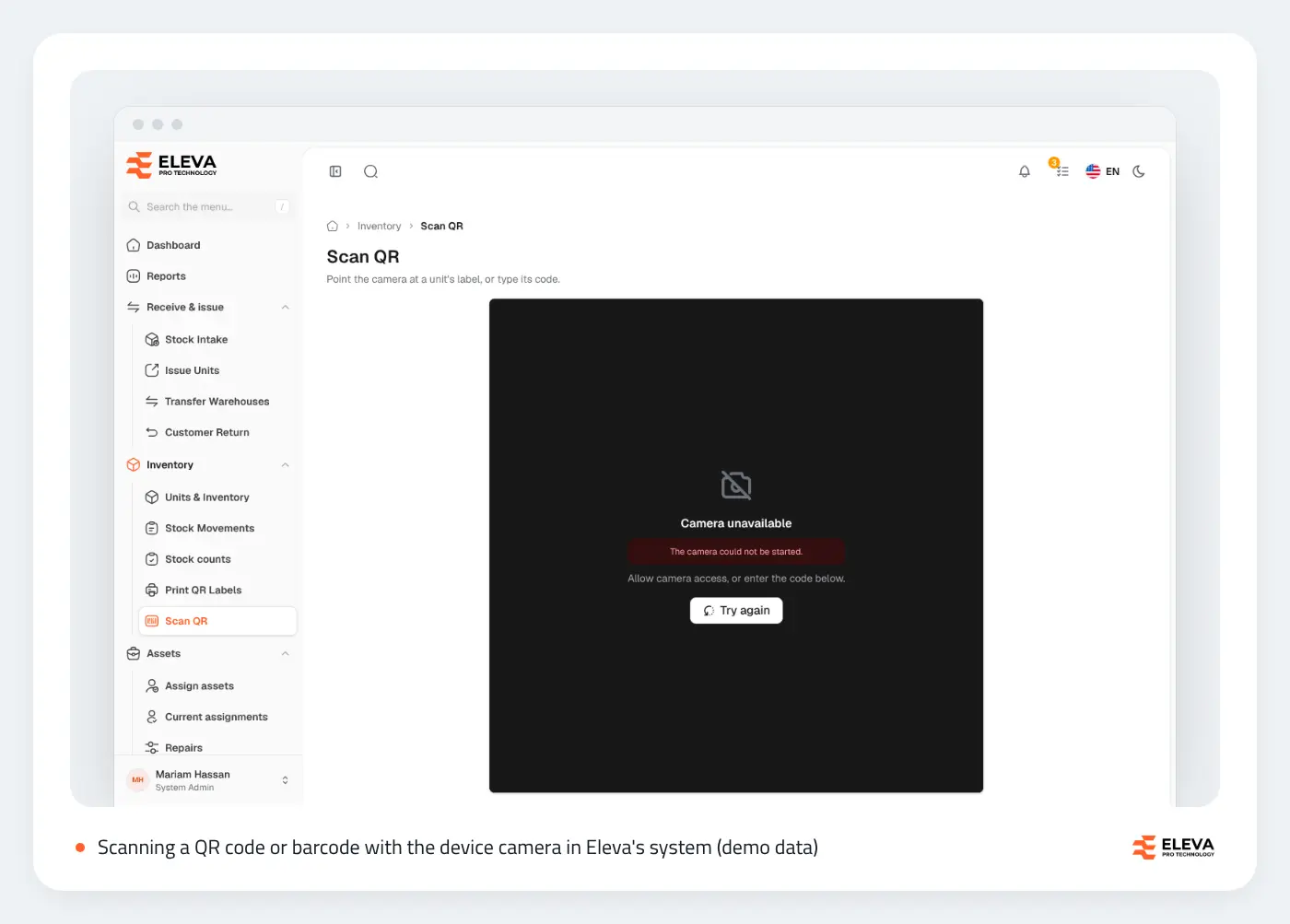
For reading, the Scan QR screen opens a unit's details as soon as its QR code or barcode is scanned with a phone or tablet camera; you can also type the code or use a USB handheld scanner. This internal numbering does not require GS1 numbers.
FAQ
Can a phone camera read a linear barcode?
Yes. Many camera-based scanning apps and systems read both linear barcodes and QR codes. A QR code usually reads faster and from more angles, though, especially in poor light or on small labels.
Do I need to register with GS1 to number my internal assets?
No. GS1 keys such as GTIN and SSCC are for trade and for exchanging goods with partners. Internal numbering of assets and units inside your company can use your system's own code, as long as it never repeats.
Which is cheaper to print?
There is no meaningful difference; both print on the same printer and labels. The real difference is in readers: QR works with the phones you already have, while linear barcodes also work with laser scanners you may already own.
Conclusion
If your team works with phones or you are starting from scratch, choose QR. If you have laser scanners that work, print Code 128 or both. Either way, put a short unique code inside the symbol and leave the rest to the system. To see where labelling fits in a full rollout, read the 30-day plan for moving from paper to a warehouse system and our guide to choosing a warehouse management system. If you want to try label printing and scanning on items from your own warehouse, contact us.
Try the Warehouse Tracking & Management System yourself: the live demo with sample data, and the step-by-step user manual. The system is sold as a one-time licence or a fixed annual fee plus annual maintenance, installed on your company's server with no fee per warehouse or user. Request a demo from the product page.