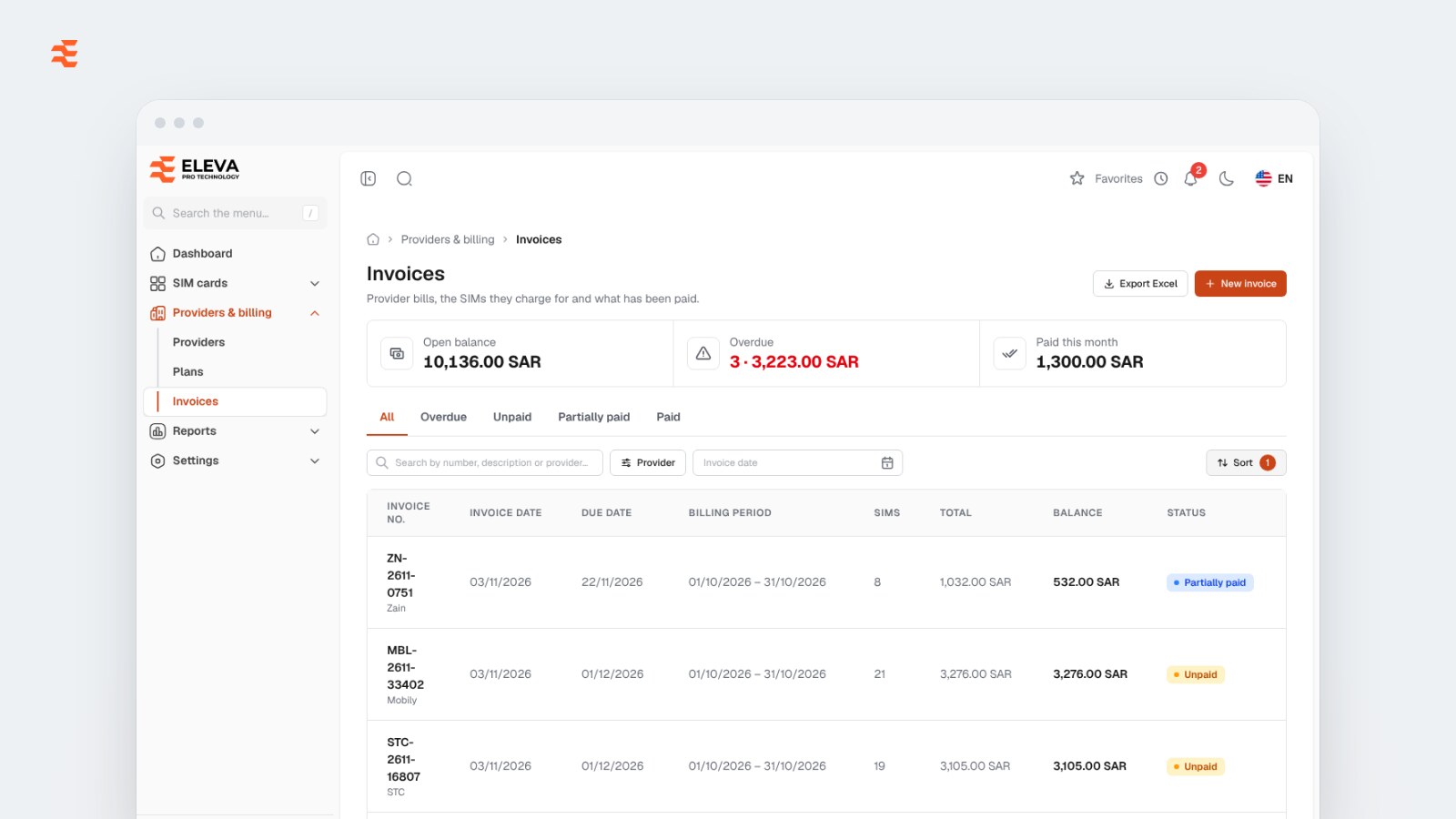
To reconcile a telecom provider's invoice, enter it with one line per SIM and the total exactly as billed, compare the sum of the lines with that total, then compare the lines billed with the lines you actually had in service during the billing period. Record each payment against the invoice as it is made, and follow what is still owed by how many days it is late. Paying the bill as a single figure is quick, but it hides the three things that go wrong with telecom invoices: lines you no longer use still being charged, lines in service missing from the bill, and part-payments nobody can trace. This article sets out a monthly routine that catches all three.
Key takeaways
- Reconciliation answers three questions: is every line billed, is each amount right, and is every payment accounted for?
- Enter bills line by line against the same SIM records as your register.
- A difference between the lines total and the bill total is usually taxes or fees; note it, do not force it to zero.
- "In service" means held by someone or active at some point in the period, based on the status history.
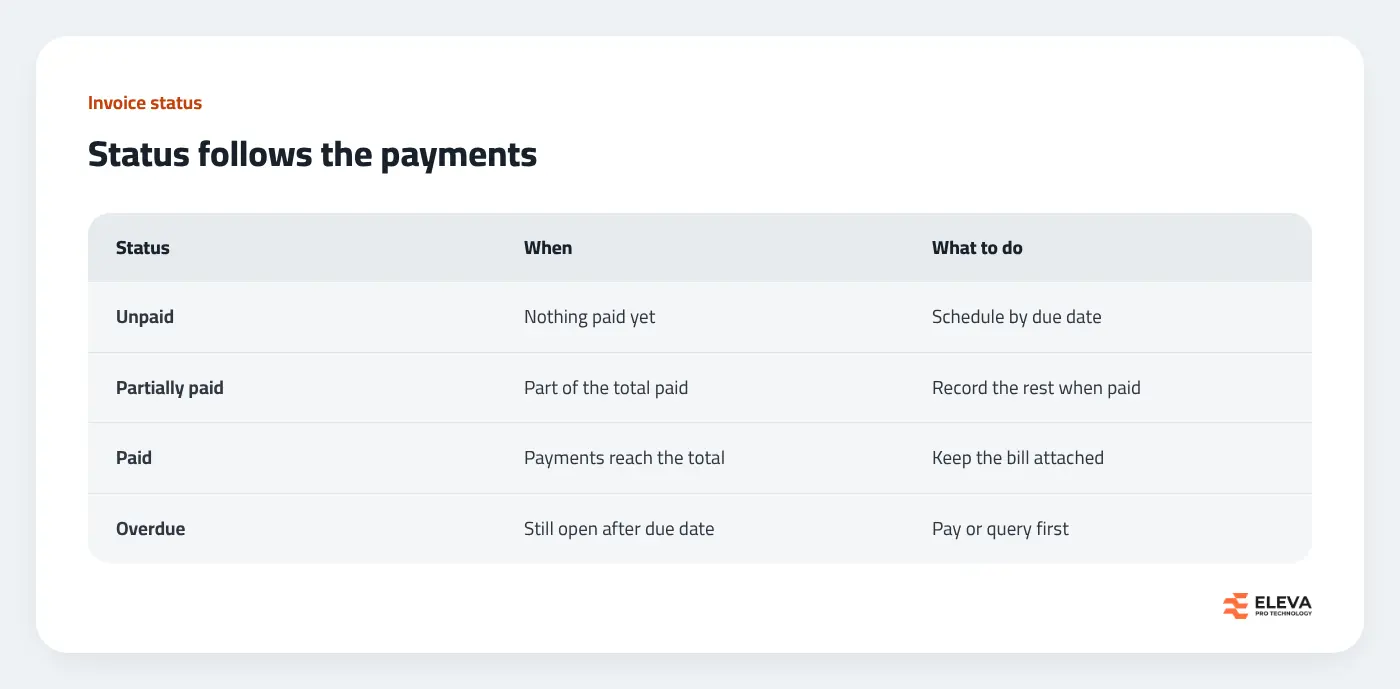
- Status should follow the payments: unpaid, partially paid, paid, or overdue once the due date passes.
What does reconciling a telecom invoice actually mean?
Reconciling an invoice means matching what the provider charged against what you know you had and what you paid. For company SIM cards, that comes down to three checks:
- Completeness: every line in service in the billing period is on a bill for that period, and no line is billed that should not be.
- Accuracy: each line's amount makes sense for its plan, and the extras on top (taxes, fees) are understood.
- Payment: every payment is recorded against the right invoice, and the balance left is the real amount owed.
None of these can be done from the bill total alone. All three need the bill broken into lines and tied to your own list of SIMs.
What is the monthly routine, step by step?
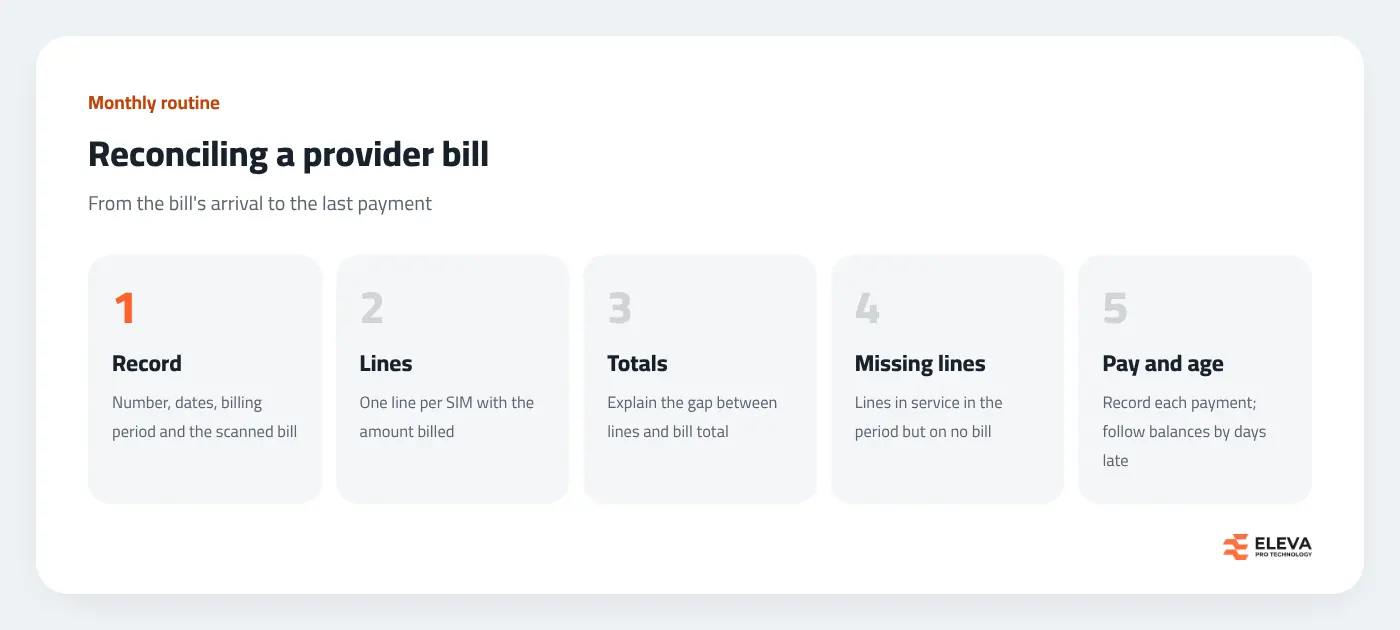
- Record the invoice when it arrives: provider, invoice number, invoice date, due date and the billing period it covers. Attach the scanned bill.
- Add a line for each SIM on the bill, with the amount charged. Starting from the plan's monthly price and changing it to the billed amount makes differences visible.
- Enter the total as printed on the bill and compare it with the sum of the lines.
- Check for missing lines: list the SIMs in service during the billing period that are on no invoice for it.
- Record payments as they are made, with the date and a bank reference.
- Review open balances by age and decide what to pay first.
Why record lines and not just the total?
A total tells you what to pay. Lines tell you what you are paying for. Once each line is tied to a SIM record, you can:
- see on each SIM's page every amount it has been billed, month after month;
- see who held the SIM at the end of the billing period, so usage can be followed up with the right person;
- find SIMs that were in service but not billed, and SIMs billed although you had cancelled them;
- spot a line whose amount differs from its plan price, which often signals a plan change or extra charges.
It takes longer the first month. After that, most lines repeat, and checking them is quicker than explaining a wrong payment later.
What if the lines total does not match the bill total?
It often will not, and that is fine. Bills commonly add taxes, fees or adjustments that do not belong to any single line. The rule is to keep the total as billed as the amount owed, and treat the difference as something to understand, not to hide. Note it in the invoice description, for example the tax amount, so the next person reading it does not repeat the check.
What deserves attention is a difference you cannot explain: a line missing from your entry, a line entered twice, or an amount typed wrongly.
Which lines should be on the bill?
This is the check that recovers money, and it depends on a clear definition. A practical one: a line is in service during a period if someone held it at any time in the period, or if it existed by the end of the period and was active at some time in it. Two details matter:
- A line nobody holds is still in service if it is active. Lines in stock are billed too.
- The status must be the one the line had during the period, not today. A line cancelled after the period still belonged on that month's bill; one cancelled long before did not.
That is why a status history matters: without it, a line cancelled last week disappears from last month's check.
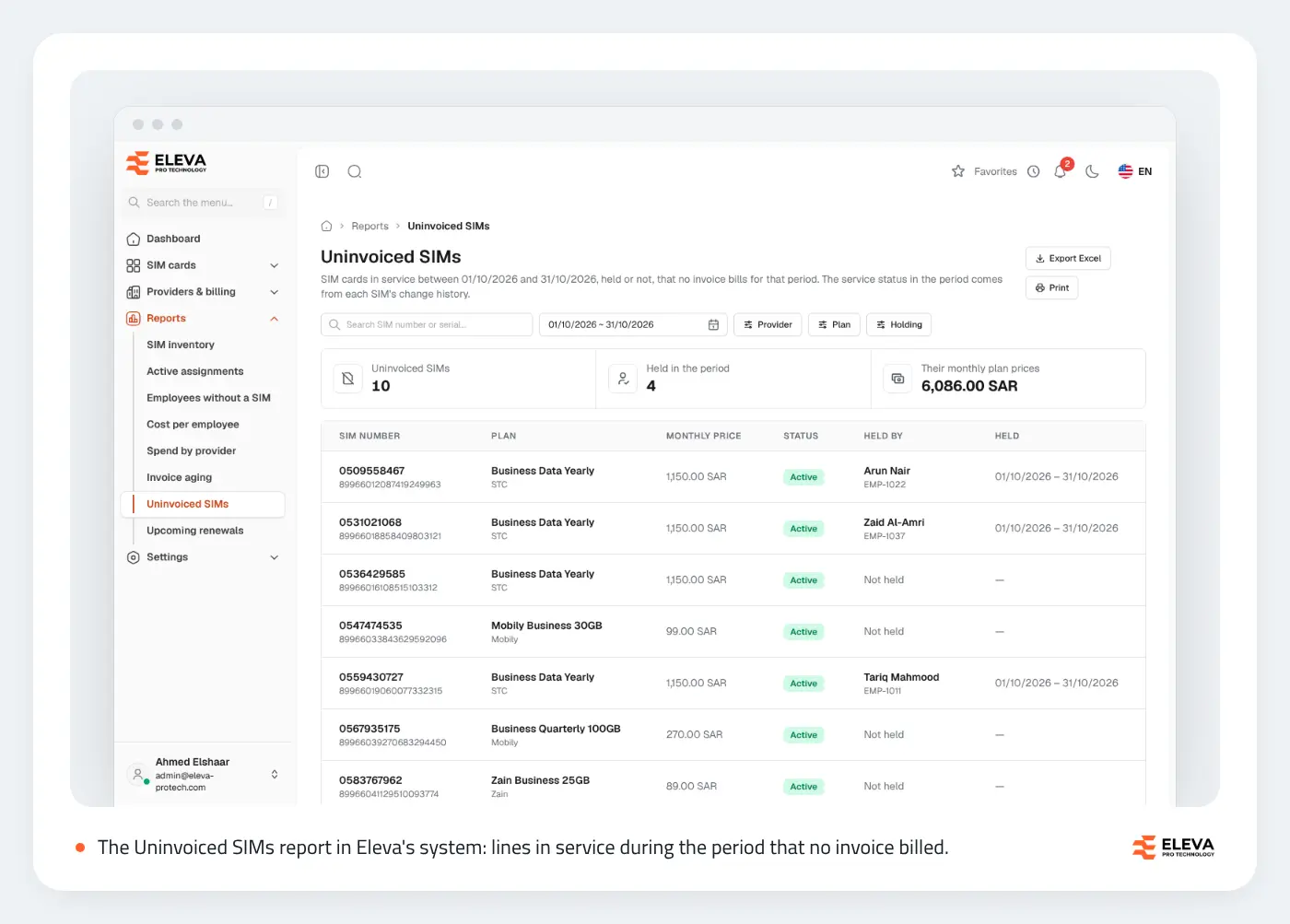
Each line left on this list needs a decision. It may be billed on another invoice you have not entered yet, it may have been cancelled at the provider without your record being updated, or the provider may simply have missed it. Lines billed but cancelled in your register are the reverse case and deserve a dispute.
How should payments and invoice status work?
Many companies pay telecom bills in more than one transfer, or pay part now and the rest after a query is settled. Record each payment separately against the invoice, with its date and reference, and let the status follow the payments rather than setting it by hand:
Two simple conventions avoid most confusion: an invoice without a due date is due on its invoice date, and an invoice due today is not late yet. If a payment was recorded by mistake, delete that payment alone instead of editing totals.
What should you pay first?
Group open invoices by how late they are: not yet due, 1-30, 31-60, 61-90 and over 90 days. Count the balance, not the invoice total, so a half-paid bill shows only what is still owed. Then look per provider: one provider carrying most of the late balance is usually a single dispute or a missed transfer, not a general problem.
Spend by provider and month is the other half of the picture. It shows whether a provider's bills are creeping up, which leads straight into cost control; we cover that in how to cut company mobile costs. For how invoices fit with the SIM register and custody records, see the complete guide to company SIM card management.
How Eleva's system handles invoice reconciliation
In the SIM Tracking System, Add or edit an invoice records the provider, number, dates and billing period, one line per SIM (only that provider's SIMs are offered, and each SIM once per invoice), the Total as billed and up to 10 attached files. Each line's amount starts at the plan's monthly price; if the total differs from the lines total, the form warns and still saves. The invoice page shows each line's holder at the end of the billing period.
Record a payment adds payments one by one, and the status (Unpaid, Partially paid, Paid or Overdue) follows them. The Uninvoiced SIMs report applies the in-service rule above, using each SIM's change history, and Invoice aging groups open balances by days late per provider. A daily digest reminds users who can see invoices of those due soon and overdue.
Conclusion
Telecom invoice reconciliation is a short monthly habit: enter the bill line by line, explain the gap between lines and total, check the lines in service against the lines billed, record each payment, and pay by age. Done every month, it turns the telecom bill from a number you accept into one you can defend. To see it with your own providers' bills, contact us.
Try the SIM Tracking System yourself: the live demo with sample data, and the step-by-step user manual. The system is sold as a one-time licence or a fixed annual fee plus annual maintenance, installed on your company's server with no fee per line. Request a demo from the product page.