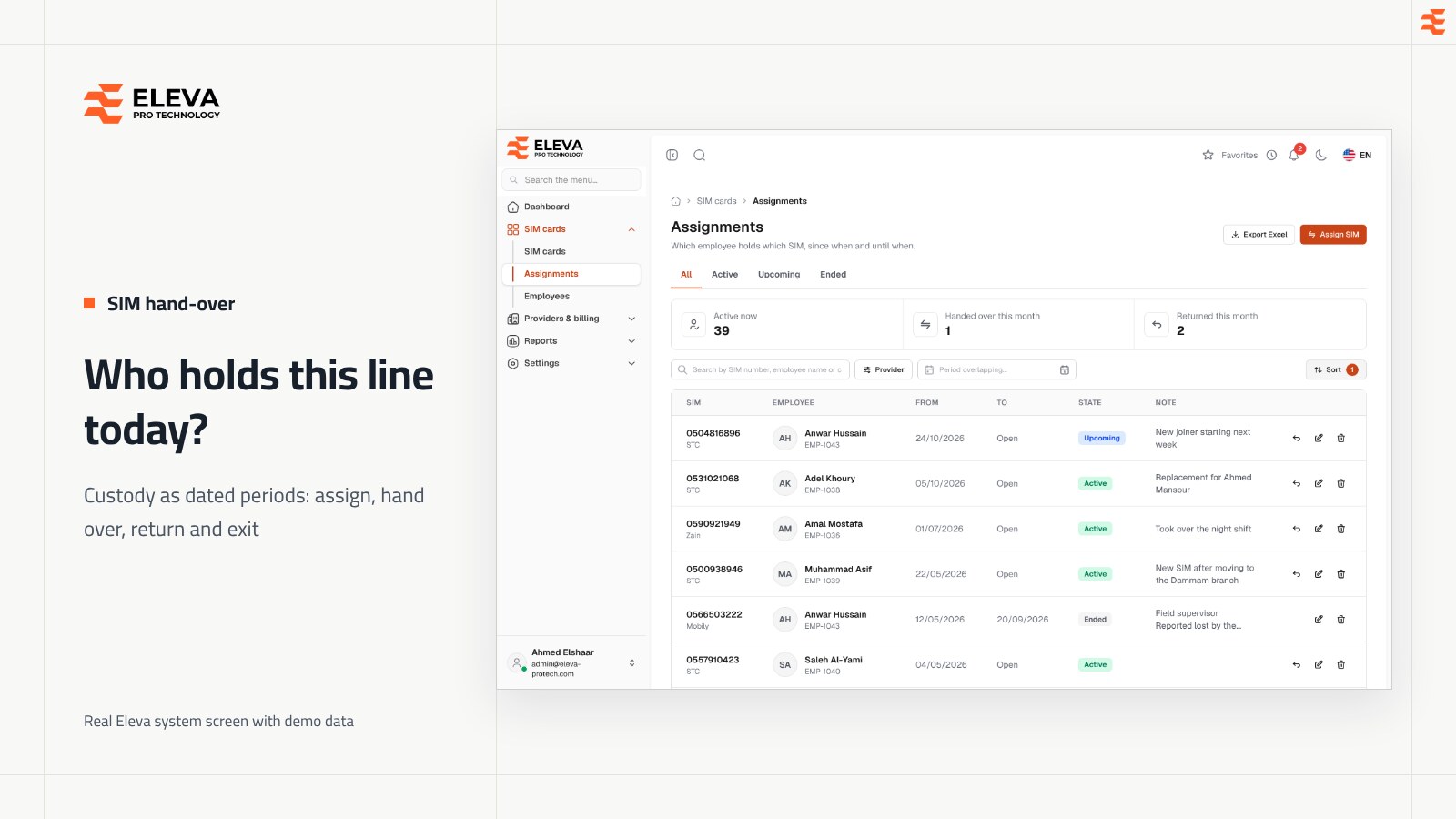
To hand company SIM cards to employees without losing track of them, record each one as a dated period: the line, the employee, the first day they hold it, the last day (or open-ended) and a short note. A line has one holder on any day, so moving it to a colleague ends the first period the day before the second starts; a return ends the period and frees the line from the next day; and an employee's exit closes their period on their last day. The paperwork sounds heavy, but each event takes a minute. What costs time is the opposite: reconstructing, months later, who had a number when a bill or a complaint arrives. This article walks through the five events in a line's custody, the mistakes that break records, and an exit checklist for unreturned SIMs.
Key takeaways
- Record custody as periods with a start and end date, not as a name in a column.
- Hand over a line in one step so the old period ends the day before the new one begins.
- The return date is the last day the employee held the line; it is free the next day.
- A line that is suspended, lost or cancelled should be taken back from its holder at the same time.
- Close an employee's SIM period on their last day, and do not sign off their exit until it is closed.
Why is a dated period better than "Ahmed has the STC line"?
A name in a column tells you who has a line today, if it was updated. A dated period tells you who had it on any day, which is what most real questions need:
- The bill: a provider bills a period. To know whose usage it was, you need the holder on those dates, not today.
- The cost: a line that changed hands on the 16th should be charged half to each person, not all to the latest one.
- Disputes: when a number is misused, the question is who held it that week.
- Exit clearance: HR needs the list of lines in an employee's name, without asking around.
Periods also make two rules easy to enforce: one holder per line on any day, and, if that is your policy, one line per employee. Two periods that overlap are an error the system can refuse, while two names in a spreadsheet are just text.
What should you record when you hand over a SIM?
Keep the hand-over record short so it actually gets filled in:
- The line: picked from the register by number, never typed freehand.
- The employee: from the official employee list, with their employee code.
- From: the first day they hold it. Today by default, or a future day for a planned start.
- To: the last day, if the period has a known end, such as a project or a temporary assignment. Leave it open otherwise.
- Note: why they have it, for example the role or project.
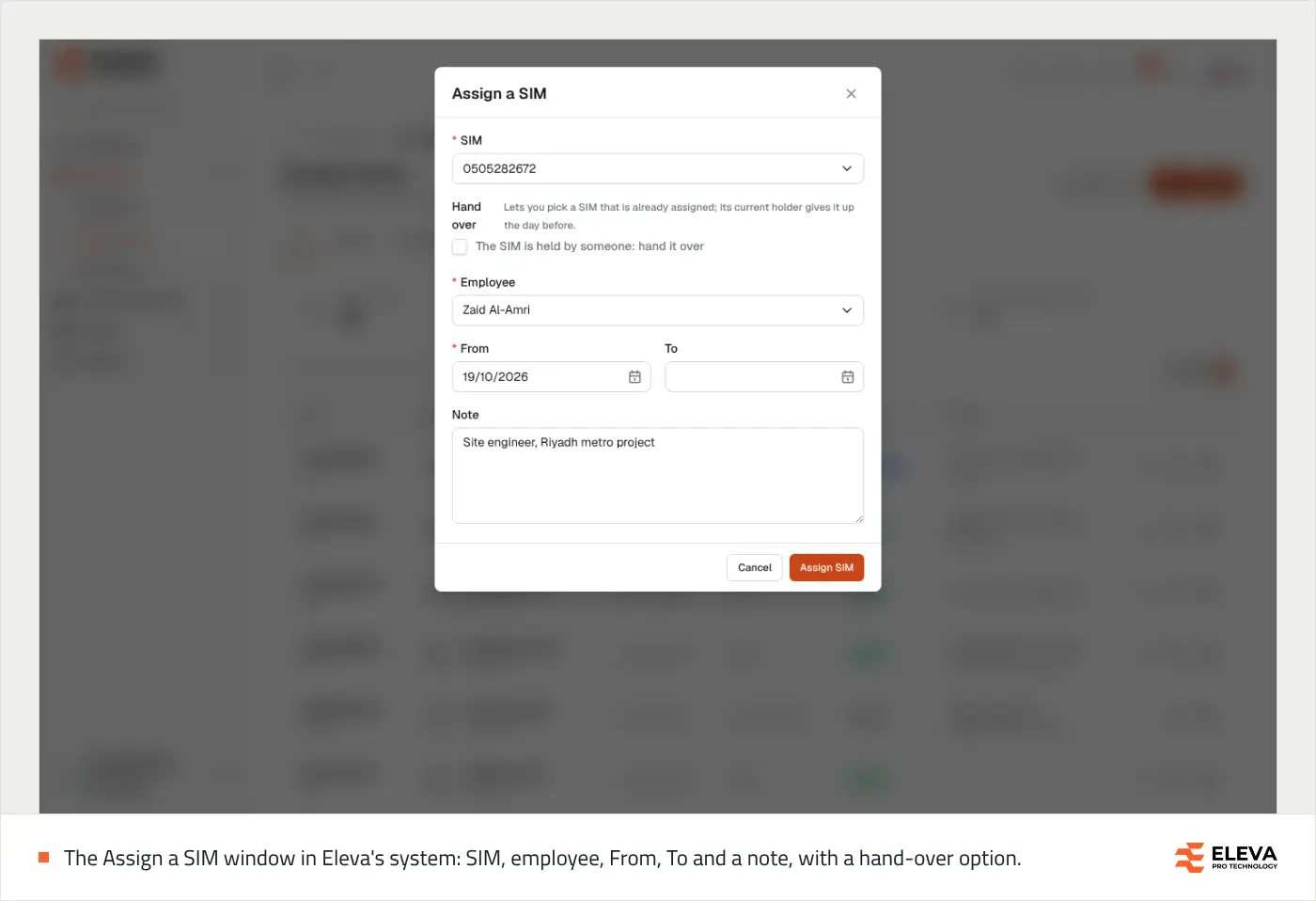
Only an active line that is free on the chosen days should be offered, and only to an active employee who does not already hold one in those days. If your list lets someone pick a suspended line or an employee who left, the record will be wrong before it is saved.
What are the five events in a line's custody?
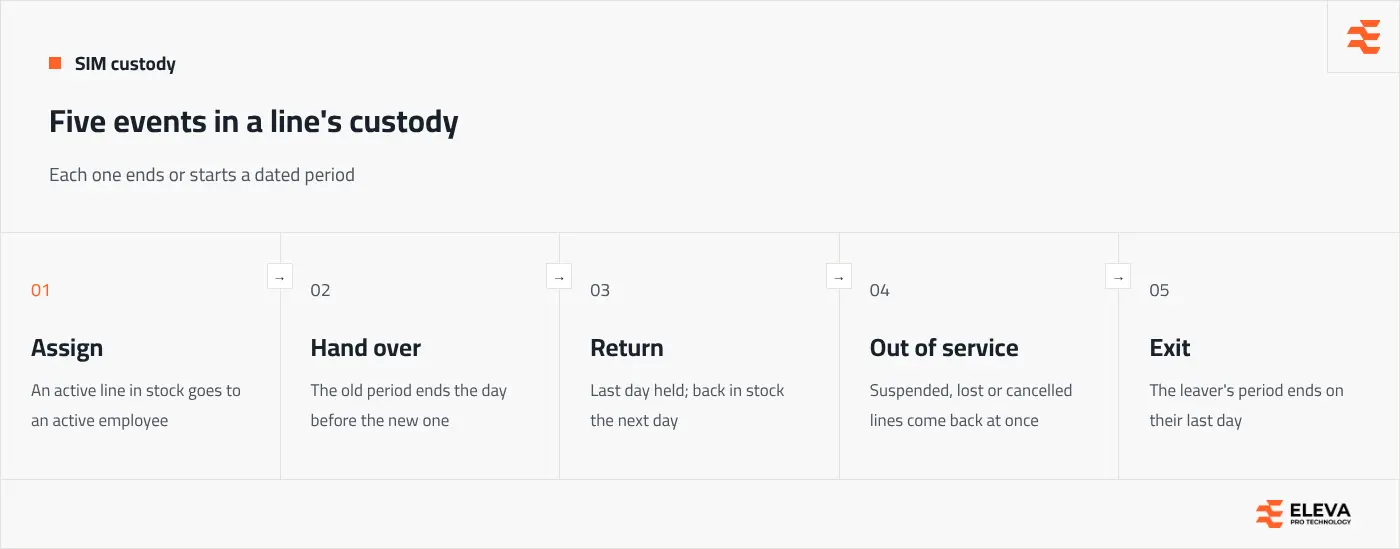
1. Assign
The line leaves stock and an employee's period begins. If the line was returned today, it is still held today, so the new period starts tomorrow.
2. Hand over
The line goes straight from one employee to another. Do it as one recorded step, not as a return followed by an assignment someone forgets to enter. The current holder's period ends the day before the new one starts, so there is no gap and no overlap.
3. Return
The employee gives the line back. The return date is the last day they held it, and the line is in stock from the next day. Add a note on the reason or the SIM's condition.
4. Out of service
When a line is suspended, reported lost or cancelled, it should come back from its holder on the same day. Otherwise the register shows an employee "holding" a line that does not work, and the line looks available for nobody.
5. Exit
When an employee leaves, their open period should end on their last working day, and any period booked for them in the future should be removed.
What goes wrong in practice, and how do you correct it?
Mistakes happen; the point is to correct them without destroying the history. These are the usual cases:
| What happened | What to do |
|---|---|
| The start or end date was entered wrongly | Edit the period's dates; the SIM and employee stay the same. |
| A hand-over was recorded to the wrong person | Delete that latest period as a mistake, so the previous holder has the line again, then record the right one. |
| The employee really gave the line back | Return it with the real date. Do not delete the period: that erases real history. |
| The line was passed on without telling anyone | Record the hand-over with the actual date it happened, not today. |
The rule behind all four: deleting is only for records that should never have existed. Real events, even late ones, are recorded with their real dates.
Can you book a SIM for someone who starts next month?
Yes, and it is worth doing for new joiners. Assign the line from their first day. Until then it stays in stock and can be lent to someone else, but only for a period that ends before the booking. Likewise, an employee whose period ends on the 24th can receive another line from the 25th. Thinking in days rather than in "who has it now" removes most clashes.
How do you clear an employee's SIM when they leave?
Unreturned SIMs are rarely stolen. They leave because exit clearance relied on memory, or because the line was moved informally and the name on file was wrong. Base clearance on the register:
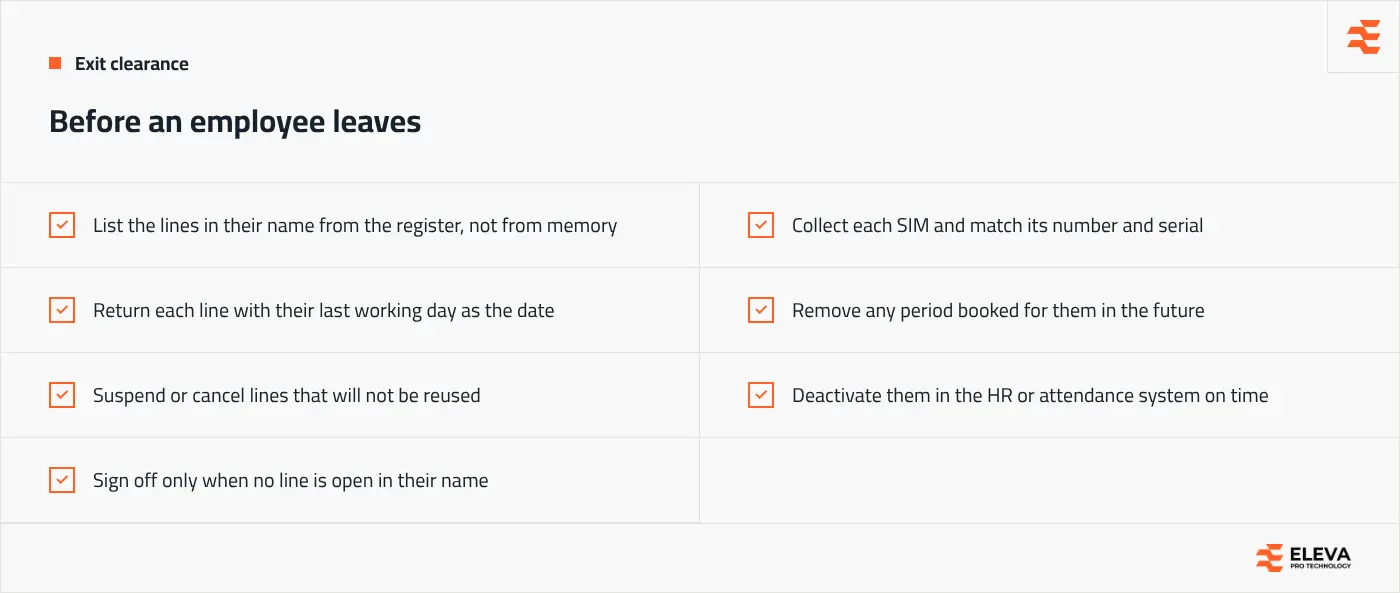
If the employee list feeds your SIM register automatically from the HR or attendance system, deactivating the employee there can close their period on the deactivation date. That only works if the HR record is deactivated on time, so make it part of the exit process rather than a cleanup task. For the wider picture of how custody fits with bills and reports, see our complete guide to company SIM card management.
How Eleva's system handles hand-over and return
In the SIM Tracking System, every assignment is a period with From, an optional To and a Note. Two periods of the same SIM, or of the same employee, can never overlap, and only Active SIMs and active employees are offered for the days you choose. Assign or hand over a SIM covers both cases: ticking Hand over lets you pick a held SIM, and the window shows the day the current holder's period will end. Return a SIM asks for Returned on, and the SIM is in stock from the next day.
Changing a held SIM's status to Suspended, Lost or Cancelled asks for a return date and returns it in the same step. Mistakes are corrected with Correct an assignment, and deleting a hand-over recorded by mistake gives the SIM back to the previous holder when that is still possible. Employees come from Timesheet: one deactivated there returns their SIM on the deactivation date. As a safeguard, a manual sync deactivates nobody if Timesheet's list looks partial, below 80% of the employees active in the system.
Conclusion
Handing SIM cards to employees well comes down to treating custody as dated periods and recording five events: assign, hand over, return, out of service and exit. Correct mistakes by editing or deleting only what was wrong, and close every leaver's period before signing off their exit. To see the hand-over flow on your own data, contact us.